
Oviond Blog
Search Engine Ranking Reports: An Agency Guide for 2026
Create search engine ranking reports that clients love. Our step-by-step agency guide covers key metrics, automation, and white-label delivery. Stop the chaos.

Monday morning hits, and the report isn't ready yet. Someone's still pulling keyword positions from one tool, clicks from another, and screenshots from a spreadsheet that changed twice over the weekend. By the time the deck gets to the client, half the energy in the room is gone, and the only thing anyone can agree on is that reporting took too long.
That's the problem with search engine ranking reports for agencies. They're often treated like a monthly chore, even though they're one of the clearest ways to show whether SEO work is landing in a way clients can feel. Most content still explains what ranks changed, not whether those changes mattered commercially, which leaves account teams doing extra translation work every month. The practical question is simple, how do you turn ranking changes into a report clients can act on? source
Table of Contents
- Moving Past the Monthly Reporting Grind
- Building Reports That Tell a Story Not Just List Numbers
- Choosing Your Agency Reporting Stack
- Assembling Your White-Label Report in Oviond
- Automating Delivery and Scaling Across Your Clients
- Make Client Reporting Your Agency's Superpower
Moving Past the Monthly Reporting Grind
The pattern is familiar. Sunday night turns into spreadsheet night, then someone spots a data mismatch, then the account manager rewrites the summary because the numbers alone do not explain what changed. That works for one or two accounts. It breaks fast when an agency is handling 5, 15, or 50 clients and every report needs the same cleanup.

The report is the client conversation
A ranking report is a client communication tool. It shows where visibility moved, what that movement means, and what the next decision should be. In agencies, that matters because clients do not renew on keyword lists, they renew on confidence that the work is tied to business outcomes.
The commercial side is hard to ignore. Google still dominates search worldwide, and the first organic result gets the largest share of clicks, with positions below it taking much smaller slices source. In a market like that, even a small ranking shift can change attention in a real way, which is why agencies need reports that show movement, not just snapshots.
Practical rule: if a report does not help the client decide what to do next, it is not finished.
Agency reporting platforms matter because they cut out repeat work. The goal is not to build more dashboards. It is to stop rebuilding the same report from scratch every month and to deliver something consistent, branded, and easy to explain. For teams trying to sharpen that client-facing layer, effective insights in marketing reports are what turn raw ranking data into something a client can use.
Building Reports That Tell a Story Not Just List Numbers
A useful ranking report starts with the client's real questions, not with a keyword table. What changed, why it mattered, and what should happen next are the three points that matter in practice. Google Search Console gives you the fields needed to answer them, including Clicks, Impressions, CTR, and Average position, with average position defined as the average position of the topmost result from a site in search results source.
Group by business meaning, not by raw export order
Dumping every keyword into one long list is the fastest way to make a report hard to use. Agencies get better results when they group keywords by service line, intent, or revenue area, because clients can see which part of the business is moving and which part needs attention. A legal client does not need the same framing as a SaaS client, and a local service business does not need the same layout as a multi-location brand.
That grouping also keeps the report useful under pressure. A valuable search engine ranking report should include keyword rankings, search volume, impressions and clicks, click-through rate (CTR), competitor analysis, SERP features, and historical ranking data so the team can see current visibility and trend movement over time source. If you only show positions, you are asking the client to do the interpretation work for you, and that slows every review call.
Add a narrative layer above the metrics
The strongest structure is usually the simplest one. Start with a short summary of wins and risks, then show movement by keyword group, then connect those movements to traffic or conversions, and finish with actions the client can approve. That sequence works because it answers the business question before anyone has to chase the numbers.
A useful reference point for that kind of framing is how to include effective insights in your marketing reports. The practical lesson is simple, metrics matter most when they lead to a decision.
For agencies managing 5 to 50 plus clients, the reporting goal is not prettier tables. It is a repeatable format that tells the same story every month, without rebuilding the logic from scratch. That is where a ranking report becomes a retention tool, because clients remember the explanation, not just the position change.
Part of that repeatability depends on how your team connects systems. A well-planned stack keeps keyword data, analytics, and client-facing presentation aligned, which is why agencies often look at integrated systems by Machine Marketing when they want to reduce manual cleanup and keep reporting time under control.
Rank tables tell you what changed. The summary tells the client why they should care.
Choosing Your Agency Reporting Stack
Most agencies start with spreadsheets because they're familiar and cheap. That works until reporting becomes a recurring operating cost hidden inside account management time. Looker Studio is the next stop for many teams, and it can produce clean visual reports, but it often becomes a patchwork of connectors, permissions, manual styling, and client-specific fixes that aren't fun to maintain across multiple accounts.
The trade-off is really about scale. Manual tools are flexible, but they demand more cleanup. Dedicated client reporting platforms are less about pretty charts and more about keeping the process stable when reporting volume grows.
Agency Reporting Tool Comparison
| Feature | Spreadsheets | Looker Studio | Oviond |
|---|---|---|---|
| Multi-client efficiency | Low, each report is rebuilt by hand | Medium, but setup and upkeep still take time | Built for multi-client reporting |
| White-label delivery | Limited, usually manual | Limited unless heavily customized | White-label reporting and dashboards |
| Custom domain | No native client-facing brand layer | Possible with extra work | Custom domain support |
| Data consolidation | Manual imports and formulas | Connectors help, but maintenance adds up | Consolidates data from 60+ integrations |
| Reusable templates | Basic copy and paste | Possible, but not always easy to standardize | Templates and reusable assets |
| Team access | File sharing chaos | Permission management can get messy | Unlimited users |
| Pricing fit for agencies | Hard to scale cleanly | Not built around client count | Pricing scales by client count |
For agencies that want a broader stack map, integrated systems by Machine Marketing is a useful resource because it shows how reporting usually sits inside a larger marketing operations setup. That matters when you're deciding whether a reporting tool should just display SEO data or support a cleaner workflow across channels.
Where dedicated reporting tools fit
AgencyAnalytics, Whatagraph, Swydo, and Looker Studio all have a place depending on how a team works. Some teams want broad integrations and simple delivery. Others want more customization. The key is to avoid building a system where the report itself requires the same manual labor every month.
Oviond belongs in that discussion as an agency reporting platform that combines white-label dashboards, custom domains, automated delivery, and one plan with all features. Its SEO reporting software for agencies is relevant here because it's built around recurring client reporting rather than one-off internal analysis.
Assembling Your White-Label Report in Oviond
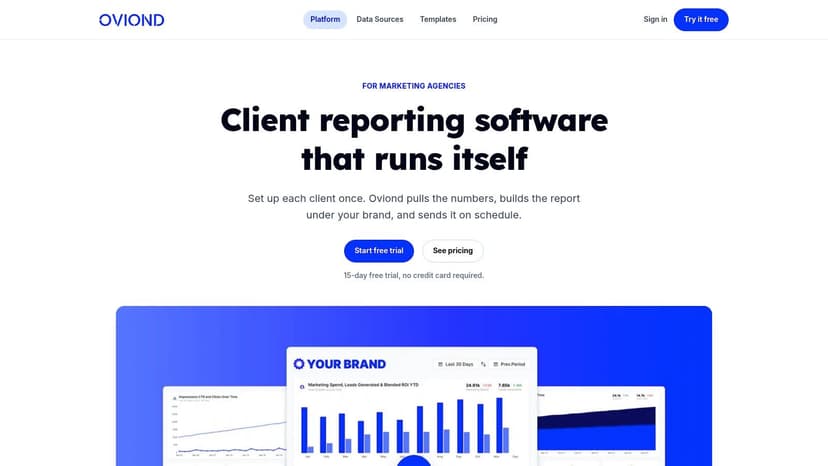
The cleanest setup starts with the data sources that shape the SEO conversation. Connect Google Search Console and Google Analytics 4 first, then bring in the ranking metrics that matter most for the account. That keeps the report grounded in search performance instead of turning it into a decorative dashboard.
Build the report around decisions
Once the data is connected, the drag-and-drop builder makes it easier to shape the story without forcing the team back into spreadsheets. Ranking charts work well alongside trend lines for clicks and impressions, because the client can see both movement and impact in one view. That pairing matters, since keywords with high rank but low clicks often need copy work, snippet work, or a better match to intent source.
The strongest reports usually mix a few visual types instead of overloading one chart. A ranking table can show movement. A line chart can show trend. A note block can explain a launch, migration, or content refresh that changed the pattern. That is what keeps a client from reading the report as a pile of disconnected numbers.
Make the report look like the agency, not the software
White-labeling changes how the report feels on the client side. Remove vendor clutter, apply the agency's branding, and use a custom domain so the dashboard feels like part of the service, not a third-party tool. That matters on recurring retainers because the report is often the most visible piece of the delivery experience.
A few agencies also standardize report components across clients so the first build is fast and the later ones are consistent. That's where reusable templates help. They prevent every new account from becoming a design project.
If you want a deeper walkthrough of presentation layers, the internal guide on white-label SEO reports fits naturally with this setup.
Automating Delivery and Scaling Across Your Clients
A report that still needs manual handoff every month does not scale. Agencies feel that pressure fast when one person becomes the bottleneck for scheduling, exports, QA, and sending reports to every client on time. Automation turns reporting into a repeatable system, which matters once a team is managing a larger client load and needs consistency without adding admin work.

Scheduling is a retention tool
Clients notice consistency. They may not care how the report was built, but they do notice when it arrives late or with missing data. Automated delivery protects the relationship because it removes the human risk from a task that repeats every month.
For teams trying to standardize their operations, practical task automation tips are worth reviewing because the same logic applies to reporting workflows. Automate the repetitive parts first, then spend human time on interpretation and the client conversation.
Search Console performance data gives agencies enough history to automate month-over-month and year-over-year trend reporting without rebuilding date ranges every cycle. That historical window helps when you need to show whether a keyword's movement is part of a pattern or just short-term noise.
Templates keep new-client onboarding sane
Templates matter just as much as scheduling. If an agency has a proven SEO report structure, it should not recreate it every time a new account lands. In practice, that means saving the layout, chart choices, metric groups, and brand styling so a new client can be onboarded quickly.
That is also where a platform like Oviond helps agencies keep reporting tidy across clients. Its automated marketing reports setup supports recurring delivery, reusable templates, and branded output, which is exactly what a growing agency needs when report volume starts climbing.
The operational gain is not just speed. It means fewer broken reports, fewer missed sends, and fewer late nights spent checking whether the right client got the right deck.
Make Client Reporting Your Agency's Superpower
A ranking report only has value when it helps a client understand what changed and what action to take next. Ranking position still matters because it affects traffic, but the report has to translate movement into decisions. If a keyword jumps from page two into the top results, clients should see why that matters for visibility, clicks, and the next round of work. A report that makes that link clear does more than inform, it proves value.
The agency advantage is clarity
Agencies that get reporting right do not just save internal time. They create cleaner client conversations, stronger renewal meetings, and less churn caused by confusion. The report becomes a retention asset because it shows progress in a way clients can understand without decoding SEO jargon.
Simple systems win here. White-label delivery, unlimited users, branded dashboards, and pricing by client count all matter because they cut friction as the agency grows. A platform that handles report automation and client presentation in one place gives account teams more room to focus on strategy instead of report assembly.
The goal is not to make reporting look busy. It is to make it reliable, repeatable, and useful across every account in the stack. If your process still depends on spreadsheets, manual exports, and late-night cleanup, the system is costing more than it should. When reporting becomes a retention asset rather than admin work, it strengthens the entire service offering.
If your agency is still stitching together ranking reports by hand, it is time to simplify the workflow. Visit Oviond to see how white-label client reporting, automated delivery, and branded dashboards can make SEO reporting a cleaner part of your service.
Related articles
Simplify marketing reporting today
Stop juggling multiple tools. Start presenting clear, automated reports your clients will love