
Oviond Blog
7 SEO Report Sample Templates for Agencies
Compare 7 seo report sample templates for agencies, with KPI guidance, customization tips, and ways to automate white-label delivery with Oviond.

Your team has five, twenty, or fifty client reports to deliver, and the workflow still looks painfully similar every month. Someone exports Search Console data, another person checks GA4, an account manager adds commentary, and an operations lead rebuilds the same branded document for the next account. The data lives across scattered sources, while the final report needs to feel consistent, useful, and unmistakably yours.
The right SEO report sample depends on the reporting job. A client-facing monthly report needs a clear story, an audit needs findings and next steps, and an executive summary needs business context without a wall of rankings. The seven examples below are evaluated by KPI coverage, narrative clarity, customization effort, automation potential, and client delivery. Static samples are useful for shaping layout, but live branded dashboards and scheduled reports fit recurring agency work far better.
Table of Contents
- 1. Oviond
- 2. AgencyAnalytics SEO Report Template
- 3. Semrush Monthly SEO Report Template
- 4. Ahrefs Free SEO Audit Template
- 5. DashThis SEO Dashboard Report Templates
- 6. SEOptimer SEO Report Sample
- 7. Databox SEO Report Templates With Preview
- 7-Tool SEO Report Template Comparison
- Turn a Useful Sample Into a Repeatable Agency System
1. Oviond
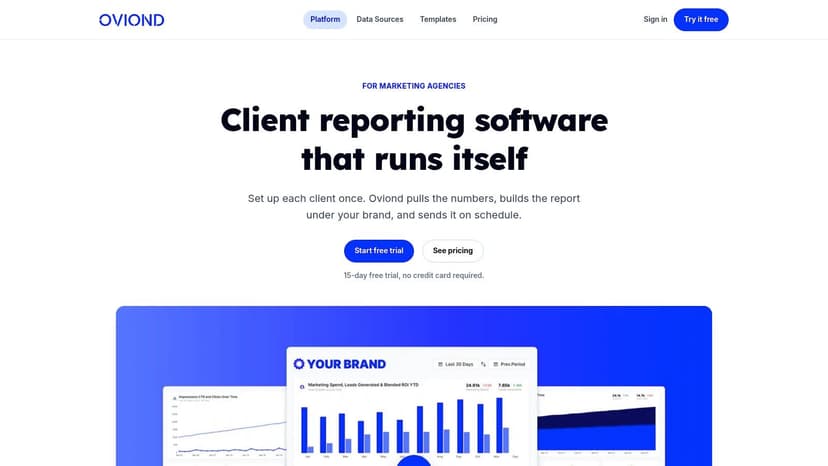
Agencies delivering recurring reports across several client accounts need a workflow that stays consistent while allowing account-level changes. Oviond brings SEO, analytics, paid media, email, CRM, and e-commerce data into branded dashboards and scheduled client reports. That makes it useful for teams standardizing delivery without forcing every account into an identical report.
An SEO report can combine Google Search Console clicks, impressions, CTR, average position, queries, landing pages, conversions, technical findings, completed work, and next actions. These fields cover the main Search Console reporting surfaces Google highlights, including clicks, impressions, CTR, average position, top queries, and landing pages. Search Console-linked reporting in Analytics keeps a maximum of 16 months of data, so recurring reports should define historical comparison windows before the workflow is built. Google's Analytics documentation also records an improved way to view recent Search Console performance introduced in December 2024.
Why it works for recurring client delivery
Oviond supports 60+ integrations, Google Sheets, and custom imports. Reusable templates, drag-and-drop widgets, calculated metrics, and goals let an agency set a baseline report, then adjust it for each account. Agencies can create unlimited reports and dashboards with unlimited team users, apply white-label styling, use custom domains and email senders, and schedule client delivery. Pricing scales by client count, with a plan starting at $39 per month billed annually for up to five clients, or $49 month to month, according to the supplied product details. A 15-day free trial is also available without requiring a credit card.
The workflow is straightforward. Create a standard SEO layout, set the required KPIs and goals, then customize commentary, widgets, and data sources where the account needs a different emphasis. This supports monthly client reporting while preserving a recognizable agency format.
Practical rule: Automate collection and presentation, but keep human analysis in the report. Clients need to know what changed, why it matters, and what your team will do next.
Customization still has a cost. Fully bespoke reports require configuration time, and some users have reported occasional PDF or export issues, widget-count constraints, and gaps in niche connectors. Those limitations matter when every client expects a different layout. Oviond also provides AI-assisted setup through an MCP server connected to Claude or ChatGPT, full API access, migration help, and human support. Use the SEO report examples to shape the first version, then convert that structure into a branded workflow your team can reuse.
2. AgencyAnalytics SEO Report Template
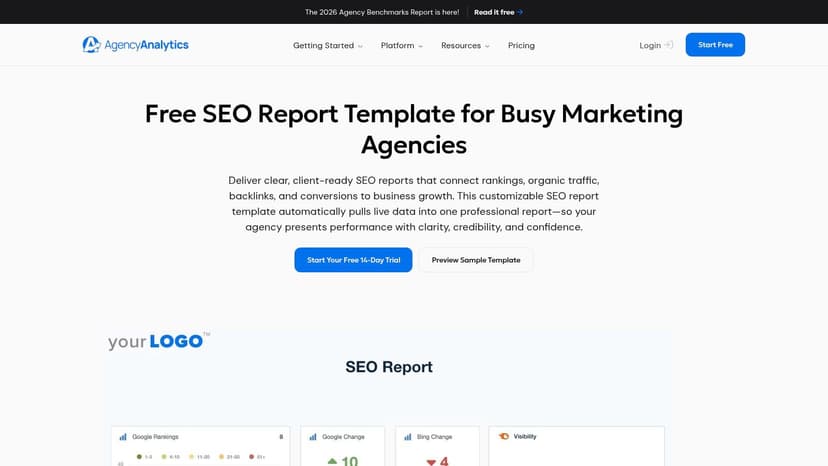
AgencyAnalytics is built for the agency that wants a working SEO template quickly. Its previewable sample gives account managers a clear view of the layout before they connect sources, and the template can pull live data into a client-ready report.
The format is well suited to a monthly client update because it puts common SEO KPIs into one deliverable rather than forcing the client to use separate tools. A practical version might include organic traffic, rankings, impressions, clicks, CTR, conversions, backlinks, and technical outcomes. That fixed KPI approach matches the structure recommended in agency reporting templates from Metrics Watch, which emphasizes connecting visibility metrics with business outcomes instead of stopping at rank tracking.
Best agency job
This is a good choice when your immediate problem is standardization. Load the sample, remove metrics your clients don't understand, add a short executive summary, and schedule delivery. The preview helps you validate whether the report feels appropriate before your team invests in a full setup.
It also works well for agencies that already use the platform's supported integrations. The report's depth depends on the sources you enable, so the sample shouldn't be treated as a complete reporting system until you've checked the connectors required across your client base.
The trade-off is subscription dependence. The free 14-day trial gives your team a way to test the workflow, but sustained use requires a paid subscription. If your agency wants one platform with all features in one plan, unlimited reports and dashboards, custom domains, and broader cross-channel delivery, compare the workflow with Oviond's SEO reporting software for agencies. The decision should come down to how much customization, white-label control, and multi-client consolidation your operations team needs.
3. Semrush Monthly SEO Report Template
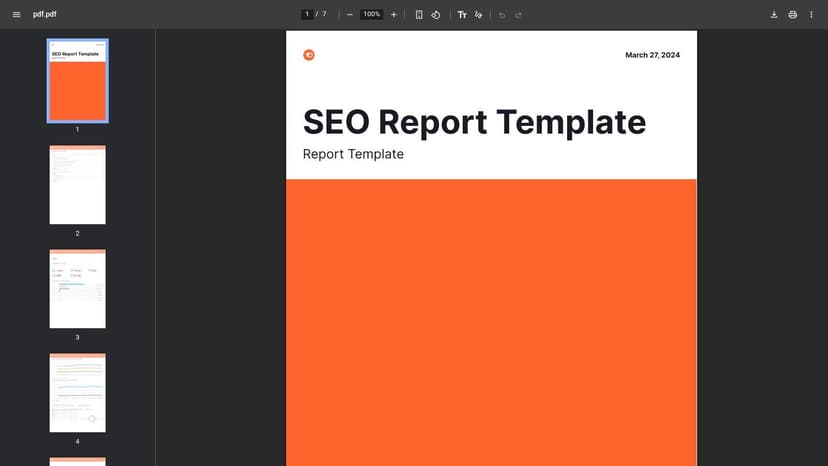
The Semrush monthly SEO report PDF is useful when your team needs to improve the shape of a client document before choosing how to automate it. It shows a finished report with headings, sections, example visuals, and narrative flow. That makes it a visual benchmark, not a live reporting system.
Best agency job
Use this sample for client-facing monthly reporting. It helps account managers answer basic questions before they touch the data. Does the report lead with the important result? Are the charts supporting the explanation? Is there a clear path from performance to completed work and next priorities?
A useful agency adaptation would preserve the document's sectioning while replacing generic commentary with account-specific analysis. Start with an executive summary, then show organic visibility, traffic and engagement, keyword movement, technical issues, completed work, and next actions. Don't fill every page with charts. A short explanation beside a focused KPI is more useful than a dashboard that asks the client to interpret everything themselves.
The PDF's main weakness is that it's static. It doesn't refresh, it isn't interactive, and its visual identity may not match your agency's brand or the client's metrics stack. Your team will still need to collect data, reconcile reporting periods, and rebuild the document unless you connect the design to a reporting platform. If Semrush is part of your SEO process, Oviond's Semrush data source can help move the sample from visual reference to a branded, repeatable report with live data and scheduled delivery.
4. Ahrefs Free SEO Audit Template
The Ahrefs free SEO audit template focuses on practical findings and recommended actions rather than monthly KPI presentation. It is available in Google Docs and Sheets, Word and Excel, and PDF formats, with a video walkthrough covering the audit approach. Those formats suit technical audits, onboarding reviews, and one-off client health checks.
Best agency job
An audit report should tell a client what is wrong, how serious each issue is, and what your team recommends doing next. The Ahrefs structure supports that conversation by organizing crawlability, indexing, content, links, and related technical areas without reducing the review to an unprioritized issue list.
The PDF also gives sales teams a concrete deliverable to show prospects. Adapt the layout with your agency's branding, severity labels, recommendations, and delivery process, then use the same structure across strategic audits.
Keep findings and next actions central, then connect resolved issues to later monthly reporting. That preserves the audit's purpose while giving account teams a clear handoff into recurring client work.
Manual population is the main drawback. Without a connected tool stack, someone must gather findings, verify evidence, write recommendations, and update the document. That can work for a strategic audit, but repeated reviews create avoidable production effort. Ahrefs can remain the source for backlink and SEO research, while Oviond's Ahrefs integration brings recurring metrics, goals, commentary, and branded delivery into a repeatable agency workflow. Teams still need to define the reporting cadence and decide which audit findings belong in ongoing client updates.
5. DashThis SEO Dashboard Report Templates
DashThis SEO dashboard templates are designed for agencies that want to move from a visible sample to a live dashboard without starting with a blank canvas. The library includes practical combinations such as SEO with Google Business Profile, which is useful for local clients whose search visibility depends on both website performance and listing activity.
Best agency job
This format supports live client dashboards and fast templated delivery. An agency can choose a close-fit structure, adapt the KPI cards, add its brand, and combine sources for a more useful client view. That's a better starting point than building every dashboard widget by hand.
The template approach is especially useful when your client portfolio has recurring patterns. Local service accounts may need Search Console, GA4, and Google Business Profile. Content-focused accounts may need queries, pages, clicks, impressions, CTR, and conversion goals. A template gives your team a standard operating model while leaving room to tailor the details.
The trade-off is that sustained use sits behind a paid product, and connector depth varies by plan. Agencies should test the sources they need before committing to a standard format across all accounts. Also check how PDF exports work in practice. Looker Studio, for example, exports only the rows currently visible in a table. A table showing 10 of 50 keyword rows exports the 10 visible rows, with no automatic pagination, according to SifRA Data's agency reporting analysis. That kind of limitation can create manual assembly work when clients expect a complete keyword appendix.
6. SEOptimer SEO Report Sample
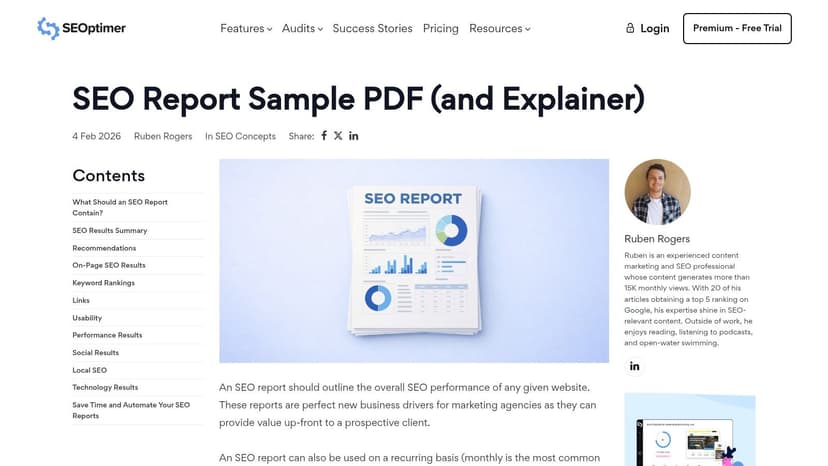
The SEOptimer SEO report sample works best for quick health checks and non-technical client audiences, rather than recurring KPI dashboards. Its sample PDF explains the grading logic, defines what the grades mean, and connects recommended improvements with the findings.
Best agency job
This format suits a simple audit, prospecting deliverable, or first client review. Grading gives account managers a clear way to explain technical issues to readers who do not work in SEO. The report can open a useful conversation before the client understands crawl directives, canonicalization, or page-level diagnostics.
Its wording also provides practical cues for client communication. A strong report explains the consequence of a failed check and recommends a reasonable next action, rather than listing problems without context. Agencies can adapt that style while adding their own prioritization, ownership, and scope notes.
Recurring KPI reporting needs a different structure. A score summarizes site health at a point in time, while monthly reporting must show trends in clicks, impressions, CTR, average position, organic traffic, conversions, backlinks, and referring domains. The audit score also leaves the team without a clear view of how completed work affected commercial outcomes.
Use the PDF as the explanation layer, then build recurring performance reporting in Oviond or another live dashboard. This keeps the audit accessible while giving clients a current view of the KPIs your team manages each month. Turn the sample into a branded workflow with a standard introduction, priority labels, commentary fields, and a repeatable handoff process. The report should support a decision, not become another static file in an inbox.
7. Databox SEO Report Templates With Preview
Databox SEO report templates are useful for agencies that want to inspect several possible structures before connecting client data. The gallery includes templates for overview reporting, organic traffic and engagement, and common combinations of GA4, Google Search Console, Semrush, and Moz. The preview-first experience reduces the risk of building a layout that doesn't fit the account.
Best agency job
Databox works well when your reporting lead wants a broad template library and your account managers need a quick way to compare layouts. A close-fit sample can cover the first draft, while the agency adds executive commentary, goals, completed work, and priorities for the next period.
The preview process matters for multi-client operations. Before you standardize a report, check whether the template can support the client's actual data sources, filters, naming conventions, and branding. A sample that looks clear with one source may become crowded when you add rankings, backlinks, technical findings, and conversion data.
The trade-off is platform dependence after the trial, with some connectors or advanced features requiring higher-tier plans. That matters for agencies managing accounts with different source requirements. You'll want to compare not just the dashboard appearance, but also user access, white-label delivery, scheduling, custom domains, and the effort required to create variations without duplicating work.
Databox is strongest as a discovery tool for report structures. For a more agency-native workflow, standardize reusable assets in a platform that supports unlimited dashboards, unlimited users, calculated metrics, goals, custom senders, and client-count pricing. The sample should reduce setup effort, not become another template your team manually maintains.
7-Tool SEO Report Template Comparison
| Tool | Implementation Complexity 🔄 | Resource Requirements ⚡ | Expected Outcomes ⭐ / 📊 | Ideal Use Cases 💡 | Key Advantages ⭐ |
|---|---|---|---|---|---|
| Oviond | Medium, template-first setup; custom reports require configuration | Moderate, subscription (client-based), API and migration support | ⭐ High, branded live dashboards, automated scheduled reports, less manual work 📊 | Agency-scale reporting, white‑label client delivery, automated workflows | All-in-one agency workflow, true white‑labeling, AI-assisted report building |
| AgencyAnalytics, SEO Report Template | Low, load & tweak a previewable template quickly | Low, trial available; subscription for ongoing use | ⭐ Good, live data template for client-ready reports 📊 | Agencies needing a fast baseline report and scheduled delivery | Quick start with previewable sample; easy validation before use |
| Semrush, Monthly SEO Report (PDF) | Very low, download-ready sample, no setup | Minimal, free PDF download | ⭐ Moderate, clear finished layout and narrative example 📊 | Teams wanting visual benchmarks or report layout inspiration | Immediate, zero-setup example of a monthly report |
| Ahrefs, Free SEO Audit Template | Low, downloadable templates; manual population for ongoing use | Low, free multi-format downloads; manual effort to populate | ⭐ High (audit-focused), actionable findings and next steps 📊 | One-off audits, stakeholder presentations, tactical recommendations | Action-oriented audit template with video walkthrough and multi-format exports |
| DashThis, SEO Dashboard Templates | Low–Medium, loadable templates; customization available | Moderate, paid product for sustained use | ⭐ Good, client-ready, white‑labeled dashboards for quick delivery 📊 | Agencies wanting templated, combinable dashboards (e.g., SEO+GBP) | Library of previewable templates designed for fast client delivery |
| SEOptimer, SEO Report Sample (PDF) with explainer | Very low, sample PDF + explainer article | Minimal, free sample and explainer | ⭐ Moderate, client-friendly graded health checks and summaries 📊 | Quick health checks or simple client-facing audits for non-technical audiences | Grading logic and clear improvement paths; easy to understand |
| Databox, SEO Report Templates with Preview | Low, preview-first templates; connect data to activate | Moderate, platform subscription for ongoing use | ⭐ Good, large gallery of prebuilt templates accelerates reporting 📊 | Teams seeking many close-fit templates before connecting data | 100+ templates, preview capability reduces setup guesswork |
Turn a Useful Sample Into a Repeatable Agency System
Each example solves a different reporting problem. Use PDF samples from Semrush or SEOptimer to shape layout, wording, and narrative flow. Use the Ahrefs template when the deliverable is a technical audit with prioritized findings. Use AgencyAnalytics, DashThis, or Databox when you want a live dashboard structure that can be adapted for recurring delivery.
A client-facing monthly SEO report should usually include:
- Executive summary: Explain the biggest changes, completed work, blockers, and next priorities.
- Organic visibility: Show clicks, impressions, CTR, average position, queries, and landing pages from Search Console where relevant. Google's reporting documentation identifies these as core search performance metrics, and its linked reporting retains a maximum of 16 months of data, so define the comparison period clearly. Google's Search Console reporting guidance is the appropriate reference for that data structure.
- Traffic and engagement: Connect organic search with landing-page performance, engagement, and conversion behavior.
- Keyword performance: Highlight target clusters, gaining and declining queries, and opportunities that deserve action.
- Technical issues: Show important crawlability, indexing, page performance, and implementation findings.
- Completed work: Record what your team delivered during the reporting period.
- Priorities: Give the client a short, ordered list of what happens next.
- Goals: Track targets that reflect the client's actual objective, whether that's qualified leads, conversions, or another agreed outcome.
The important step is tailoring the report by client objective without rebuilding the entire asset. A local client may need Google Business Profile activity beside organic landing pages. A B2B account may need CRM outcomes and lead influence. A content program may need query, page, and conversion detail. The structure stays familiar, while the KPI mix and commentary change.
Agency reporting breaks down when teams pull data from Google Ads, Meta Ads, GA4, Search Console, social platforms, and email, then recreate the same format for every account. A client reporting guide from 1ClickReport recommends an executive summary, KPI scorecard, channel performance, and budget tracker, with automated delivery commonly scheduled weekly, bi-weekly, or monthly. The format is simple, but consistency is difficult when every source and client report is handled separately.
A scalable workflow standardizes the reusable pieces in Oviond. Connect each client's sources, select the appropriate SEO template, add calculated metrics and goals, apply white-label branding, configure a custom domain and sender, then schedule automated delivery. Agency automation workflows commonly connect sources through APIs, pull data on a schedule, normalize metrics, populate templates, handle connector exceptions, and include a human review gate before delivery, as outlined in this agency reporting automation guide.
The right SEO report sample is only the starting structure. Your agency creates value when that structure becomes a consistent, branded, client-ready system that explains performance and keeps every account moving toward its next priority.
Oviond brings SEO, analytics, ads, CRM, email, and e-commerce data into white-label dashboards and scheduled client reports, with reusable templates, custom domains, calculated metrics, goals, and AI-assisted setup. Visit Oviond to turn your next SEO report sample into a repeatable reporting workflow for every client.
Related articles
Simplify marketing reporting today
Stop juggling multiple tools. Start presenting clear, automated reports your clients will love