
Oviond Blog
7 SEO Example Report Templates for Agencies
Explore 7 SEO example report templates for agencies, with metrics, layouts, client summaries, and Oviond automation tactics.

Your monthly SEO report shouldn't begin with a scramble through exports. Yet that's what happens in many agencies as the client roster grows: someone downloads Google Search Console data, someone else updates a spreadsheet, an account manager pastes charts into a branded deck, and the final report still contains inconsistent dates, missing context, or the wrong logo. Scattered client data turns recurring reporting into production work instead of a useful client conversation.
A useful SEO example report passes four practical tests. It shows decision-ready metrics, gives each visual a clear place in the story, summarizes what matters in plain English, and follows a repeatable delivery process. The models below are judged by those standards, then translated into a practical Oviond build using connected sources, reusable assets, calculated metrics, goals, branded dashboards, custom domains, and scheduled reports.
Google remains the main search platform globally, with 91.31% worldwide search engine market share in July 2026, according to StatCounter's search engine market-share data. That concentration makes dependable SEO reporting a core agency process. For a useful example of agency-led search strategy, see Headline Marketing Agency's Amazon SEO insights.
Table of Contents
- 1. Oviond
- 2. AgencyAnalytics
- 3. Semrush My Reports
- 4. Ahrefs
- 5. Databox
- 6. Whatagraph
- 7. DashThis
- Top 7 SEO Report Tools Comparison
- Turn the Strongest SEO Report Pattern Into a System
1. Oviond
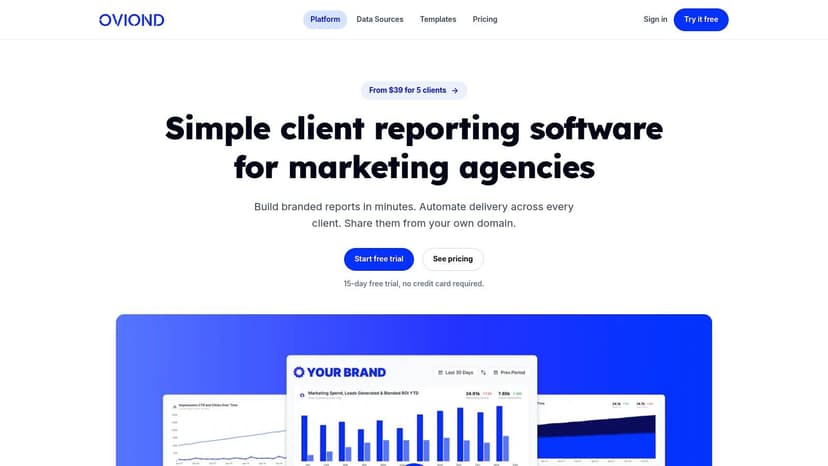
Oviond fits agencies that need one reporting system for SEO and the channels surrounding it. You can connect 60+ marketing sources, including Google Search Console, Google Analytics 4, Google Ads, Meta, LinkedIn, Shopify, Mailchimp, YouTube, and other platforms, then assemble a client-facing dashboard with a drag-and-drop builder. The result is less like a spreadsheet assembled at month-end and more like a reusable reporting product for every account.
The strongest Oviond SEO report starts with a short executive summary, followed by KPI cards, organic search trends, query and landing-page views, technical observations, completed work, goals, and next actions. Keep the top of the dashboard commercial. A client should see organic clicks, engaged traffic, leads, MQLs, or revenue where those connections exist before seeing a long keyword table.
Why the model works for agencies
GA4 is now a core reporting layer. One 2026 industry report estimates that it's installed on about 16.8 million websites globally, compared with 14.2 million in mid-2025, an 18% year-over-year increase. The same report places U.S. usage at roughly 3.9 million websites, up from 3.2 million, a 21.9% increase. Those figures appear in the GA4 and search-market analysis, and they explain why agencies should connect GA4 and Search Console before adding specialist SEO sources.
In Oviond, create reusable query blocks for branded and non-branded queries, top landing pages, device, country, and search intent. Add calculated metrics to blend or compare sources, then set goals on the metrics that matter to the client. A local account might need calls and direction-related actions, while a B2B account may need form submissions and qualified leads.
Practical rule: Automate collection and delivery, but keep the interpretation human. A dashboard can show a decline. The account manager still needs to explain whether content changes, seasonality, tracking, or a technical issue caused it.
Recreate it in Oviond
Start with the Oviond SEO report examples and adapt the structure rather than rebuilding every page. Apply the agency logo, colors, custom domain, and custom email sender. Test the client view, check filters and date ranges, then schedule the report for the agreed cadence.
Oviond includes unlimited reports, dashboards, and team users, with pricing based on client count. The platform also provides templates, automation, full API access, human support, and migration assistance from the smallest plan. AI assistants such as Claude and ChatGPT can connect through Oviond's MCP server for assisted report creation and insight generation.
The trade-off is flexibility. Advanced blended calculations and custom configurations can require setup time, and agencies should test connectors and PDF output during the 15-day free trial. The platform starts at $39 per month billed annually for up to five clients, or $49 month to month, as listed in the supplied product information. Oviond's value is clearest when the agency wants one white-label operating system, not a separate report for every channel.
2. AgencyAnalytics
AgencyAnalytics is built around the recurring agency report rather than the internal analyst's workspace. Its SEO templates can pull from Google Search Console, GA4, Ahrefs, Semrush, Moz, and other sources, while the drag-and-drop builder lets account managers clone a structure and adjust it for each client.
A practical report opens with KPI cards, then moves into ranking distribution, Search Console clicks and impressions, landing pages, backlinks, and goals. Keep the narrative close to the visuals. For example, a note beside a landing-page chart should explain which pages deserve content expansion or conversion work, not just restate that one page received more clicks.
Client delivery and account operations
White-label sharing, custom domains, custom sender details, and scheduled email delivery support a consistent client experience. That matters when multiple account managers prepare reports. The agency can standardize the layout without forcing every client into identical commentary.
AgencyAnalytics is a sensible choice when the agency wants a ready-made SEO reporting path with minimal assembly. Its dedicated rank tracking and backlink sections reduce the need to design those views from scratch. Pricing is based on clients, so the operating cost needs to be reviewed as the roster expands. Some advanced multi-brand white-label options also vary by plan.
To recreate this model in Oviond, connect Search Console and GA4, add a ranking or backlink source where relevant, and save the KPI row, trend chart, and commentary blocks as reusable assets. Assign goals to the main conversion metrics, apply the agency's branding, and schedule automated delivery. Oviond offers a broader multi-channel setup when the same client report must include paid media, email, CRM, or e-commerce data alongside SEO.
See AgencyAnalytics for its current templates, integrations, and plan details.
3. Semrush My Reports
Semrush My Reports suits agencies whose SEO research, keyword tracking, audits, and competitor work already live in Semrush. Its template-led approach can produce a polished monthly SEO report with sections for visibility, rankings, site health, and competitive context. External integrations can add GA4 and Search Console data, so the report doesn't have to stop at Semrush metrics.
The strongest layout separates visibility, engagement, and business impact. Put ranking and visibility charts near the front, but place organic sessions and conversions beside them. That prevents a common reporting mistake, treating higher positions as the final outcome when the client really cares about qualified enquiries or revenue.
The cost and data trade-off
Semrush's report system supports custom themes, white-label branding, flexible sharing, PDF exports, link sharing, and AI summaries on higher tiers. Its model is attractive for teams that already pay for Semrush research and want a clear route from project data to client output. The limitation is that pricing is per report per month, so costs can rise with the number of distinct client reports. The base tier may also provide less depth for outside tools.
For an Oviond recreation, connect Semrush through the Semrush data-source integration, then add GA4 and Search Console. Build a reusable report with a summary block, ranking trend, query table, landing-page performance, goals, and next-action notes. Use calculated metrics when the client needs a combined view of organic traffic and conversion performance.
This model works well when the SEO specialist wants detailed Semrush research but the account manager needs a broader client dashboard. Compare the current Semrush My Reports features and plan rules before standardizing it across a large account roster.
4. Ahrefs
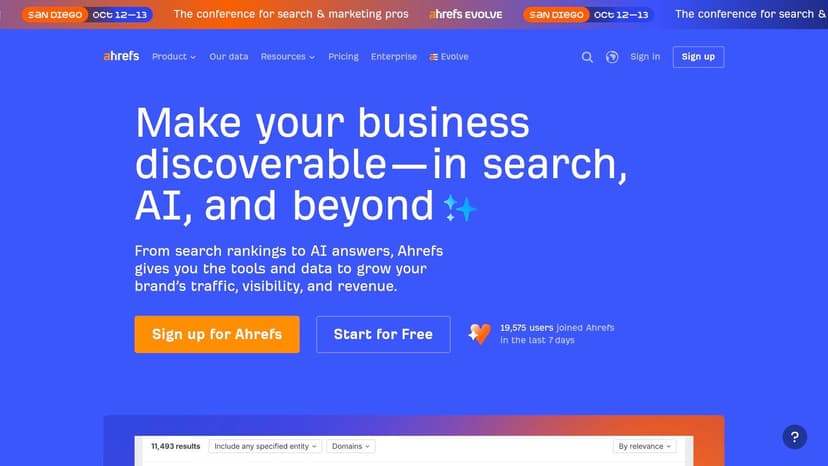
Ahrefs gives SEO-heavy agencies a direct route to backlink, ranking, and competitive reporting. Its native Report Builder uses widgets from Site Explorer and Rank Tracker, while downloadable templates support monthly SEO reports and audits in document and presentation formats. Scheduled PDF delivery also works for clients who don't need dashboard access.
A credible Ahrefs-style report should make authority and visibility easy to interpret. Start with organic keyword movement, then show referring-domain trends, top linked pages, ranking distribution, and competitor context. Add a short explanation of what the agency did, such as link outreach, content improvements, internal linking, or technical remediation.
Where it fits and where it doesn't
Ahrefs is strong when the client's retainer centers on SEO research. Its Looker Studio connector templates provide another route to live dashboards, but cross-channel reporting is less central than it is in general marketing reporting suites. Plan limits can also affect the number of reports or exports an agency can run.
In Oviond, connect Ahrefs through the Ahrefs data-source integration, then bring in GA4 and Search Console for the post-click story. Use goals to connect ranking work with leads or other client outcomes, and place technical notes in a dedicated commentary area instead of burying them among backlink charts.
The result is more useful than a backlink dump. It tells the client whether authority-building work is supporting visibility and whether that visibility is reaching valuable pages. For the current native builder and template options, review Ahrefs directly.
5. Databox
Databox is a visual dashboard option for agencies that want fast assembly and narrative assistance. Its SEO templates can combine Google Search Console, GA4, Semrush, Ahrefs, and other connected sources. The platform also offers AI-assisted workflows through Genie and MCP, including options for generating performance summaries from the data.
A Databox-style report should give the account manager a clean story to edit. Use a top row for clicks, impressions, organic sessions, and conversions. Follow it with a trend chart, top queries, top pages, and a narrative panel that explains the largest movement and the recommended response.
Use AI as a first draft
AI-generated commentary can help with the first pass, particularly when an agency handles many monthly reports. It shouldn't send unchecked claims to a client. The account manager still needs to validate date ranges, attribution, anomalies, and the difference between a correlation and a confirmed cause.
Oviond offers a similar assisted workflow through its MCP server and reusable reporting assets. Recreate the model by connecting the sources, defining calculated metrics, setting goals, and adding a controlled summary block. Keep the language tied to evidence from the dashboard. If a ranking improved but clicks declined, explain the visibility and engagement distinction rather than declaring the campaign a failure.
Databox pricing can become complex as agencies add data sources and optional capabilities, and third-party listings may show outdated plan names or prices. Check the vendor's current terms before making it the default for a multi-client operation. For a direct comparison focused on agency workflows, review the Databox alternative from Oviond and Databox side by side.
6. Whatagraph
Whatagraph is designed for quick, branded reporting across multiple channels. Its template library and guided builder help account managers assemble reports without deep technical setup, while Whatagraph IQ can assist with report creation from a prompt. Unlimited users and reports are included across its plans, according to the supplied product information.
A useful Whatagraph-style SEO report keeps cross-channel context visible. Show organic search performance beside paid media, social, or email only when that comparison helps explain the client's acquisition picture. The report should still give SEO its own section for Search Console queries, landing pages, rankings, and technical work.
The agency trade-off
Whatagraph is appealing when onboarding and ease of use matter more than specialist SEO depth. Higher tiers provide advanced integrations such as Semrush and Ahrefs, along with custom metrics. That means the agency needs to map each client's required sources before choosing a plan. Mid-market pricing may also make it less attractive for a smaller roster with modest reporting needs.
Oviond recreates the same workflow with a drag-and-drop builder, templates, calculated metrics, goals, white-label delivery, custom domains, and scheduled reports. Connect SEO sources first, then add paid or CRM data only where it improves the client narrative. Save the finished layout as a reusable asset so the next account starts from a proven structure.
Use Whatagraph when its onboarding model and cross-channel presentation match the agency's operating style. Choose Oviond when one feature-complete plan, client-count pricing, unlimited dashboards and reports, and agency-focused support are more important than a tiered feature path.
7. DashThis
DashThis takes a lightweight approach to client reporting. Preset SEO and backlink templates can be cloned, branded, and connected to Google Search Console, GA4, Semrush, Ahrefs, and Moz. Agencies can deliver through a secure link, scheduled email, or PDF, while automatic data refresh keeps the dashboard current.
The cleanest DashThis-style report contains a compact overview, organic trend chart, ranking or visibility panel, backlinks, top pages, and a concise recommendations area. It's a good format for clients who want a quick monthly read rather than a long technical audit.
Predictable setup, narrower customization
Per-dashboard pricing can be easy to understand when the agency knows how many dashboards each account needs. However, each dashboard counts as a report, so volume can increase the total cost. The platform is also less flexible for highly custom SEO analysis than heavier reporting systems.
Oviond can reproduce the same simple layout without limiting the agency to an SEO-only view. Connect Search Console and GA4, add Ahrefs or Semrush where needed, define goals, and use calculated metrics for client-specific KPIs. White-label styling, custom domains, custom senders, and automated delivery make the dashboard suitable for recurring client communication.
The practical difference is operating range. DashThis is a focused reporting choice for fast SEO dashboards. Oviond is more useful when an agency wants to expand that same dashboard into paid media, email, CRM, e-commerce, and social reporting without maintaining separate systems. Review DashThis for its current dashboard model and white-label reporting guidance for delivery capabilities.
Top 7 SEO Report Tools Comparison
| Solution | Implementation 🔄 | Resources & Cost ⚡ | Outcomes 📊⭐ | Ideal Use Cases 💡 | Key Advantages ⭐ |
|---|---|---|---|---|---|
| Oviond | Moderate 🔄, drag‑and‑drop builder; advanced blended metrics require configuration | Agency‑priced by client; starts ~$39/mo (annual) for first 5; unlimited users/reports; API access | Comprehensive multi‑channel, client‑ready dashboards and automated white‑label reports | Agencies needing scalable, branded automation across 60+ sources | All‑in‑one plan, AI assistants (MCP), full API and human migration support |
| AgencyAnalytics | Low‑Moderate 🔄, drag‑and‑drop with ready templates | Per‑client pricing; cost grows with client count ⚡ | Consistent, client‑focused SEO reports with scheduled delivery | Agencies prioritizing client delivery and SEO reporting | SEO templates, rank tracking, consistent white‑label delivery |
| Semrush My Reports | Low 🔄, template‑led setup within Semrush | Per‑report/month pricing; best value if already on Semrush | Polished SEO reports and exports; AI summaries on higher tiers 📊 | Teams whose research and tracking live inside Semrush | Deep Semrush data, flexible exports, library of SEO templates |
| Ahrefs | Low 🔄, native Report Builder + downloadable templates | Plan limits may cap reports/exports; varies by plan | Strong SEO‑centric reports (Site Explorer, Rank Tracker) and scheduled PDFs | SEO teams focused on site audits, ranks and backlinks | Deep SEO data coverage; Looker Studio connector templates |
| Databox | Low‑Moderate 🔄, customizable templates + AI (Genie/MCP) | Pricing complex by data sources and add‑ons; costs increase with connectors ⚡ | Fast visual dashboards and AI‑generated performance narratives | Teams wanting visual dashboards with AI summaries across sources | AI narratives, 25+ SEO templates, fast time‑to‑value |
| Whatagraph | Low 🔄, guided builder + AI (Whatagraph IQ) | Unlimited users/reports; advanced integrations on higher tiers | Automated, white‑label cross‑channel reports and PDF/link exports | Non‑technical account managers and mid‑market/enterprise agencies | AI‑assembled reports, unlimited reports/users, enterprise onboarding |
| DashThis | Very Low 🔄, preset templates for quick setup | Per‑dashboard pricing for predictable costs | Clean, client‑readable SEO dashboards with automatic refresh ⚡ | Agencies needing simple, fast, predictable SEO dashboards | Very fast setup, predictable per‑dashboard pricing, multiple delivery modes |
Turn the Strongest SEO Report Pattern Into a System
The strongest agency SEO report isn't the one with the most widgets. It leads with business-relevant outcomes, keeps technical detail available without overwhelming the summary, shows trends and goals visually, and gives the client a clear next action. A ranking chart can explain visibility. It can't, by itself, prove that the agency created qualified demand.
Use three comparison points when reviewing performance: the client's historical results, direct competitors, and industry standards. One supplied benchmarking framework places healthy organic traffic at around 50% to 60% of total website traffic, estimates that the number-one organic result earns about 27.6% CTR, and puts average organic conversion around 2.7% to 3.0%. Those reference points appear in the SEO benchmarking framework from AIOSEO. Treat them as context, not promises, and explain why the client's business model may produce different outcomes.
Reports also need to explain modern search behavior. One industry source cites 58.5% of Google searches as zero-click searches, while another summary says AI Overviews can reduce position-one CTR by 58% to 61%, as reported in the 2026 SEO reporting trends coverage. A client may see impressions and mentions rise while clicks remain flat. Separate visibility, engagement, and revenue impact so that the report doesn't misread that pattern.
The rollout in Oviond is straightforward:
- Connect the core sources: Start with Google Search Console and GA4. Add Semrush, Ahrefs, paid-media, CRM, email, or e-commerce sources only when they support the client's goals.
- Define the measurement layer: Create calculated metrics, blend data where appropriate, and set goals on the KPIs the client uses.
- Build the reusable template: Add the executive summary, KPI cards, organic trends, queries, pages, technical notes, completed work, and next actions.
- Apply the agency experience: Add your logo, colors, custom domain, and custom email sender. White-label tools are designed to remove vendor branding and present reports under the agency's identity, as explained in this white-label dashboard guidance.
- Test and automate: Review the client view, verify filters and attribution, then schedule automated delivery through the agreed channel.
The durable advantage isn't a prettier chart. It's a repeatable white-label reporting process that stays clear as the agency adds clients. Oviond's single plan includes its feature set, with pricing based on client count, unlimited users, unlimited reports and dashboards, 60+ integrations, full API access, AI-assisted setup through MCP, and human migration support. That combination gives account managers a system they can operate consistently instead of another monthly reporting project.
Oviond brings SEO, analytics, paid media, CRM, email, and e-commerce data into live branded dashboards with white-label delivery, custom domains, calculated metrics, goals, templates, and automated reports. Visit Oviond to recreate the strongest SEO example report patterns in one agency-native system and test the workflow on a real client.
Related articles
Simplify marketing reporting today
Stop juggling multiple tools. Start presenting clear, automated reports your clients will love