
Oviond Blog
7 SEO Report Examples for Growing Agencies
Explore 7 SEO report examples for agencies, with KPI ideas, visuals, delivery workflows, white-label tips, and automation options.

A useful SEO report isn't a collection of ranking screenshots and traffic charts. It needs to connect SEO activity to the client's priorities, explain what changed, show what happens next, and stay consistent across 5 to 50+ client accounts. That makes the reporting model more important than the dashboard's appearance.
The strongest SEO report examples below are evaluated as delivery systems for agencies. Each one has a practical client fit, a KPI story, a visual structure, a commentary approach, and a cadence that account teams can repeat. The comparison also covers branding, automation, integrations, and the trade-offs that appear when an agency moves beyond spreadsheets and fragmented Looker Studio setups.
Oviond fits that need as an agency-native alternative. Its focus is simple, branded client reporting across SEO and the rest of the marketing stack, so agencies can replace manual monthly reports with reusable dashboards and scheduled delivery. Agency reporting that finally feels simple starts with a report clients can understand and an internal workflow the team can maintain.
Want a head start? Download Oviond's free SEO client report template (.xlsx), or see how the SEO client reporting solution automates the examples below.
Table of Contents
- 1. Oviond
- 2. AgencyAnalytics
- 3. Semrush
- 4. Databox
- 5. DashThis
- 6. Google Looker Studio
- 7. SE Ranking
- Top 7 SEO Report Tools Comparison
- Turn the Right Example Into a Repeatable Client System
1. Oviond
Oviond suits agencies that report on SEO alongside analytics, paid media, email, CRM, or e-commerce. It treats reporting as a client delivery system: one branded view can connect organic visibility, landing-page performance, conversions, and the other channels influencing the same business outcome. That structure works well for accounts where SEO cannot be evaluated through rankings alone.
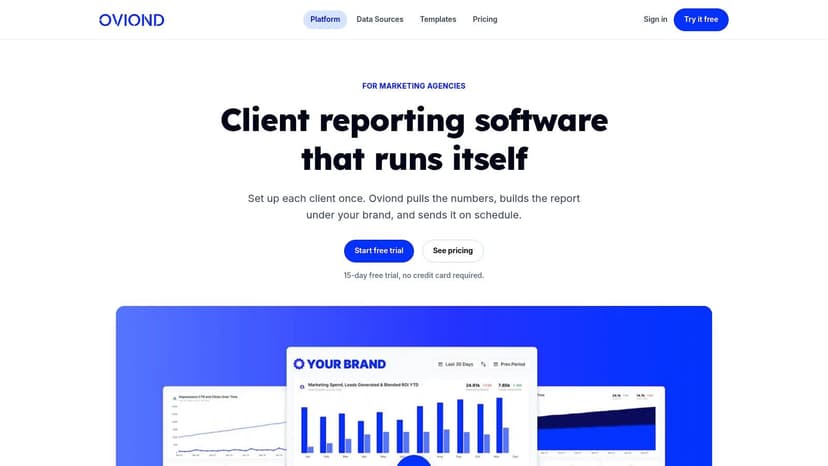
Open with an executive summary, a compact KPI panel, and commentary on the main movement. A practical SEO dashboard can include organic clicks, impressions, click-through rate, average position, conversions, leading landing pages, completed technical work, and next actions. The published SEO report template demonstrates this structure with a sample dashboard showing 13,344 organic clicks in 30 days, 289k impressions, a 4.61% click-through rate, and an average position of 8.4. Treat those figures as an example of presentation, not an expected result.
Why it fits multi-client delivery
Oviond offers 50+ connections, including GA4, Google Search Console, Google Ads, Meta, LinkedIn, Shopify, Mailchimp, and YouTube. Agencies can combine drag-and-drop widgets, templates, calculated metrics, goals, custom queries, and Google Sheets imports. That makes it possible to keep a standard structure while adjusting KPIs for a local service client, an e-commerce account, or a lead-generation campaign.
The delivery controls matter as much as the data connections. Oviond includes white-label dashboards and reports, custom domains, custom email senders, unlimited users, and unlimited reports and dashboards in one plan. Its pricing is based on client count, with the plan starting at $40 per month billed annually for 10 clients, as stated on Oviond's website. Full API access and MCP-assisted setup can support workflows involving assistants such as Claude or ChatGPT.
Practical rule: Automate data collection, not explanation. Every chart should clarify what changed, why it matters, and what the team will do next.
For most clients, deliver the report monthly and keep the dashboard available between meetings. Use a shared template for recurring sections, then add account-specific commentary where it supports a decision. Agencies standardizing this process can use white-label SEO reports from Oviond. The trade-off is configuration time for complex customizations, although migration assistance and human support are included from the smallest plan.
2. AgencyAnalytics
AgencyAnalytics is a strong fit for agencies that want a ready-made, client-facing SEO report they can clone and schedule without designing every section from scratch. Its published SEO report templates cover rankings, organic traffic, Google Search Console, backlinks, and site audits, which gives account managers a practical starting point for recurring delivery.
The clearest client story is usually a monthly progress report. Start with a short summary, follow with organic traffic and Search Console performance, then move into rankings, backlinks, technical findings, and completed work. Keep conversions near the front when the client has reliable tracking. Ranking detail can sit later in the report, where it supports the narrative rather than becoming the narrative.
AgencyAnalytics supports automated scheduling, white-label PDF and link delivery, and 85+ integrations, including GA4, Google Search Console, Ahrefs, and Semrush, according to its product information. That breadth suits agencies that want SEO and other marketing channels in one account workspace. It also offers prebuilt layouts for common SEO sections and unlimited staff and client users under its current plan structure.
Where the trade-off appears
Rank tracking is an add-on priced by keywords, so agencies need to model how many tracked terms each client requires before standardizing their package. The platform also makes the most sense when the agency is comfortable centralizing much of its reporting stack there. If the team already has several established tools, moving every channel may duplicate parts of the existing workflow.
For a local-service client, deliver this report monthly with a short callout on leads or calls. For a content-led client, emphasize query groups, landing pages, and technical blockers. Agencies comparing the workflow with an alternative can review Oviond as an AgencyAnalytics alternative and decide whether they need a specialized template library or a broader white-label reporting system.
3. Semrush
Semrush is the natural choice when an agency already keeps rankings, backlinks, site audits, and competitive research in Semrush. Its SEO report template includes recommended sections and narrative guidance, while live sample monthly reports show how populated widgets can look in a client deliverable.
That filled-in example matters. An account manager can see how the report moves from summary to keyword performance, visibility, backlinks, audits, and recommendations without guessing what a finished document should contain. The best use is to model the story around the work the agency completed, not to export every available Semrush metric.
A Semrush-centered report should tell three connected stories. First, did target visibility improve or decline? Second, did important pages and queries respond to the work? Third, did the resulting organic visits produce meaningful actions? The report can include competitive context and SERP features, but those sections should support a decision such as refreshing a page, fixing a technical issue, or changing the content plan.
Best fit and limitations
Semrush offers white-label options on higher-tier plans, so agencies need to check plan requirements before promising a fully branded PDF workflow. Its reporting model is also less attractive when the agency's core data lives elsewhere. In that situation, the team may still use Semrush for SEO analysis, but it may need another layer for multi-channel dashboards, CRM outcomes, or custom client branding.
Monthly delivery works well for most retained SEO engagements. Use a shorter internal review when an audit or major implementation is underway, but don't send clients a report just because new data is available. If the client needs a broader suite decision, agencies can also review this comparison of SEO suites from Up North Media.
4. Databox
Databox suits agencies that want to move quickly from a template to a live dashboard while serving clients with different SEO priorities. Its SEO report examples cover GA4, Google Search Console, Ahrefs, Moz, and Semrush, with templates for rankings, backlinks, content performance, and other common reporting needs.
The delivery model is visual and modular. For a lead-generation client, put organic sessions, landing pages, conversion actions, and trend lines near the top. For a content client, give more space to query themes, impressions, CTR, and page-level engagement. For a link-building engagement, make referring-domain and backlink movement visible, then explain whether those links support pages that matter commercially.
Databox's library helps account managers avoid starting from a blank canvas. Agencies can preview examples, copy a template, connect sources, and schedule delivery. It also includes AI and assistant features that can help with narrative, though the account team still needs to check whether the generated explanation matches the client's context.
The cost of broad connectivity
Databox pricing scales by connected data sources, so costs can rise as an agency adds SEO platforms, paid media, CRM, and other channels. Advanced refresh and forecasting capabilities sit behind higher tiers, which makes the platform worth evaluating against the complexity of each client roster rather than a single account.
Deliver a concise monthly dashboard and use a meeting note or email for interpretation. Keep the main view focused on decisions, not every available metric. Agencies considering a different pricing and branding model can explore Oviond as a Databox alternative, especially when they need unlimited users and dashboards under one agency-oriented plan.
5. DashThis
DashThis is a practical choice for agencies that prefer recurring PDF and URL delivery with low setup friction. Its SEO reports include a preset template, example pages, visual KPI sections, and a downloadable ultimate SEO report PDF. That makes it useful when a client expects a polished monthly document and the agency doesn't want to build a complex reporting model.
The report structure should stay deliberately compact. Lead with a summary of organic performance, then show Search Console visibility, GA4 landing-page activity, rankings, backlinks, and conversions. Put completed work and next recommendations beside the relevant performance section where possible. A client shouldn't have to remember what a technical fix was supposed to influence.
DashThis supports automated delivery, link sharing, and white-label PDF exports. It connects with GA4, Google Search Console, Semrush, Moz, and other marketing sources. Those capabilities suit agencies with a stable recurring workflow, particularly when account managers send the same report format to a roster of local businesses or professional-service clients.
When the model starts to strain
Pricing is dashboard-count based, so agencies with many client views need to forecast how the number of reports will grow. DashThis also provides less granular modeling and data transformation than a BI-oriented tool. That isn't a problem for straightforward client reporting, but it can become limiting when an agency needs blended calculations, unusual source combinations, or a highly customized executive dashboard.
Monthly delivery is the sensible default. Send the report before the review meeting, then use the meeting to explain the implications rather than reading the charts aloud. This model works when visual clarity matters more than deep data engineering.
6. Google Looker Studio
A useful Looker Studio report starts with the agency's delivery model, not the template gallery. It suits teams standardized on GA4 and Google Search Console, especially when clients want live access instead of a recurring PDF. The Looker Studio Report Gallery offers community and featured templates, including Search Console overviews that teams can copy, reconnect, and adapt.
For an SEO client, lead with clicks, impressions, CTR, average position, queries, pages, organic sessions, and conversions. Pair Search Console visibility with GA4 landing-page activity so the report explains what happens after a searcher reaches the site. Use a compact KPI row, trend charts for movement, and short commentary that connects changes to completed work and next actions.
The flexibility creates an agency operations problem. Each account manager can build different layouts, calculated fields, filters, and definitions. Without governance, broken fields and inconsistent commentary spread across accounts, while ownership of fixes remains unclear. The free starting point shifts costs into connectors, QA, documentation, and team time.
A workable agency setup
Create one controlled master template, lock core KPI definitions, and document which fields account managers may change. Non-Google sources often require paid third-party connectors, including tools such as Supermetrics. Assign an owner for template updates, permissions, and version control.
Deliver the main report monthly before the client review, with live access for clients monitoring current performance. Agencies serving varied accounts can standardize the structure while reserving commentary blocks for each client's goals. Teams seeking a more managed white-label workflow can explore Oviond with Google Looker Studio.
7. SE Ranking
SE Ranking fits agencies that have already standardized rank tracking, site audits, and backlink monitoring inside SE Ranking. Its SEO report template uses drag-and-drop sections, pulls KPIs from those modules, and supports scheduled delivery in PDF, XLS, and HTML formats.
The report works best when the client wants a guided SEO update rather than a broad marketing dashboard. Start with the reporting period, goals, and headline results. Follow with average position, position change, keyword distribution, top-performing queries, audit findings, backlink activity, and the work completed. Close with specific next actions tied to the movement shown above.
SE Ranking's agency-oriented layout helps account managers standardize a clear report without designing every page. The multi-format export also gives the team flexibility. PDF suits a formal monthly review, HTML can support a more accessible online experience, and XLS may help a client that wants to inspect the underlying detail.
The platform dependency
The main trade-off is straightforward. The report is most useful when the agency's SEO data already lives in SE Ranking. Advanced non-SEO channels still require other tools, which means the agency may need a second reporting layer for paid media, email, CRM, or e-commerce outcomes.
Deliver it monthly for retained SEO clients, and keep the main report focused on the agreed keyword groups and business goals. Don't add every available ranking category just because the template supports it. A clear narrative with a few relevant visuals will serve the client better than a dense export.
Top 7 SEO Report Tools Comparison
| Product | 🔄 Implementation complexity | ⚡ Resource requirements | ⭐ Expected outcomes | 💡 Ideal use cases | 📊 Key advantages |
|---|---|---|---|---|---|
| Oviond | Medium, drag‑and‑drop + templates; custom setups take time | Moderate, 70+ native connectors; plan priced by client count (no seat/source fees) | ⭐⭐⭐⭐, polished, white‑label client reports and automated delivery | Agencies needing scalable, branded client reporting and API/AI workflows | All‑in‑one agency features; unlimited dashboards/users; API & AI report generation |
| AgencyAnalytics | Low, cloneable templates, quick to deploy | Moderate, 85+ integrations; rank tracking is an add‑on (keyword pricing) | ⭐⭐⭐⭐, client‑ready SEO reports at scale | Agencies that want ready‑made SEO templates to clone and schedule | True client‑ready templates; automated scheduling; unlimited users |
| Semrush | Low–Medium, templates + live samples; white‑label on higher tiers | High if outside Semrush, requires Semrush subscription and mid/high plans for white‑label | ⭐⭐⭐, concrete, filled‑in example reports when using Semrush data | Teams whose SEO data already lives in Semrush and want model reports | Tight data alignment with Semrush; filled sample reports to model |
| Databox | Low, many templates; fastest template→live workflow | Moderate–High, pricing scales with connected data sources | ⭐⭐⭐⭐, quick multi‑source dashboards and scheduled reports | BI‑style teams needing many cross‑source SEO templates quickly | Large template library; cross‑source templates; AI insights assistant |
| DashThis | Low, preset templates and downloadable example PDFs | Moderate, pricing by dashboard count; standard connectors available | ⭐⭐⭐, clean, client‑friendly visuals and recurring PDF/URL delivery | Agencies focused on recurring PDF/URL client workflows | Very low setup friction; strong automated PDF/link delivery |
| Google Looker Studio | Medium, highly flexible but often manual customization | Low cost for Google data; third‑party connectors may be paid | ⭐⭐⭐⭐, flexible, free reporting for GA4/GSC‑centric setups | Teams standardized on GA4/GSC or needing a free, customizable solution | Free, unlimited customization; native GA4/GSC connectors; large template gallery |
| SE Ranking | Low, drag‑and‑drop report builder with preset sections | Low–Moderate, best value when data is kept in SE Ranking | ⭐⭐⭐, practical, guided agency reports if using SE Ranking modules | Teams standardizing on SE Ranking for rank, audit, and backlink data | Guided templates; multi‑format export (PDF/XLS/HTML); agency layout |
Turn the Right Example Into a Repeatable Client System
Choosing among these SEO report examples starts with the client's business model. A local-service client may care most about local visibility, calls, directions, leads, and landing-page conversions. A B2B client may need organic sessions, high-intent queries, form submissions, lead quality, and pipeline influence. An e-commerce client needs organic landing pages, product or category visibility, engagement, and revenue context.
The tool should support that story without forcing the agency to rebuild its reporting process for every account. Choose a focused KPI set, then pair every chart with a short interpretation. The report should make three points clear: what changed, why it changed, and what happens next.
A report becomes scalable when the agency can reuse its structure without reusing irrelevant commentary.
A practical delivery system includes:
- Reusable templates: Keep a standard executive summary, KPI block, organic performance view, page and query analysis, technical work section, and recommendations area.
- Goals and calculated metrics: Set client-specific targets and blend relevant sources when a single platform can't show the complete business story.
- White-label styling: Apply the agency's logo, colors, custom domain, and custom email sender so the client experience feels native.
- Automated delivery: Schedule the report for a consistent monthly cadence and keep a live dashboard available when clients need current numbers.
- Quality checks: Verify date ranges, data connections, conversion definitions, annotations, permissions, and client branding before sending.
- Human commentary: Explain unusual changes, connect completed work to observed movement, and assign practical next actions.
Oviond is the strongest fit when an agency needs to combine SEO with analytics, paid media, email, CRM, or e-commerce data while keeping dashboards and reports branded and manageable across a growing client roster. Its all-features plan includes unlimited users, unlimited dashboards and reports, white-label delivery, custom domains, custom email senders, 70+ integrations, automation, API access, migration assistance, and human support, with pricing based on client count. Its MCP integration can also assist with report and insight creation, while calculated metrics and goals give account teams room to tailor the story.
The right system doesn't eliminate strategy. It removes repetitive assembly work so the agency can spend its attention on interpretation, recommendations, and client conversations. Agency reporting should finally feel simple.
Oviond gives agencies branded SEO dashboards, scheduled reports, white-label delivery, custom domains, and connections across search, analytics, paid media, email, CRM, and e-commerce. Visit Oviond to build a repeatable SEO report workflow that stays clear and manageable as your client roster grows.
Related articles
Simplify marketing reporting today
Stop juggling multiple tools. Start presenting clear, automated reports your clients will love