A live public link
Copy the share URL and send it. The recipient opens it in any browser with no Oviond account and sees the report against live data every time.
Feature
Client report sharing in Oviond means one live link per report — clients open it in any browser with no account and no attachment, and always land on current data.
Why client report sharing
Most reporting friction is distribution, not data. This is the part that stops being work.
A shared report renders live data every time it opens, so there is no stale PDF circulating in a client's inbox.
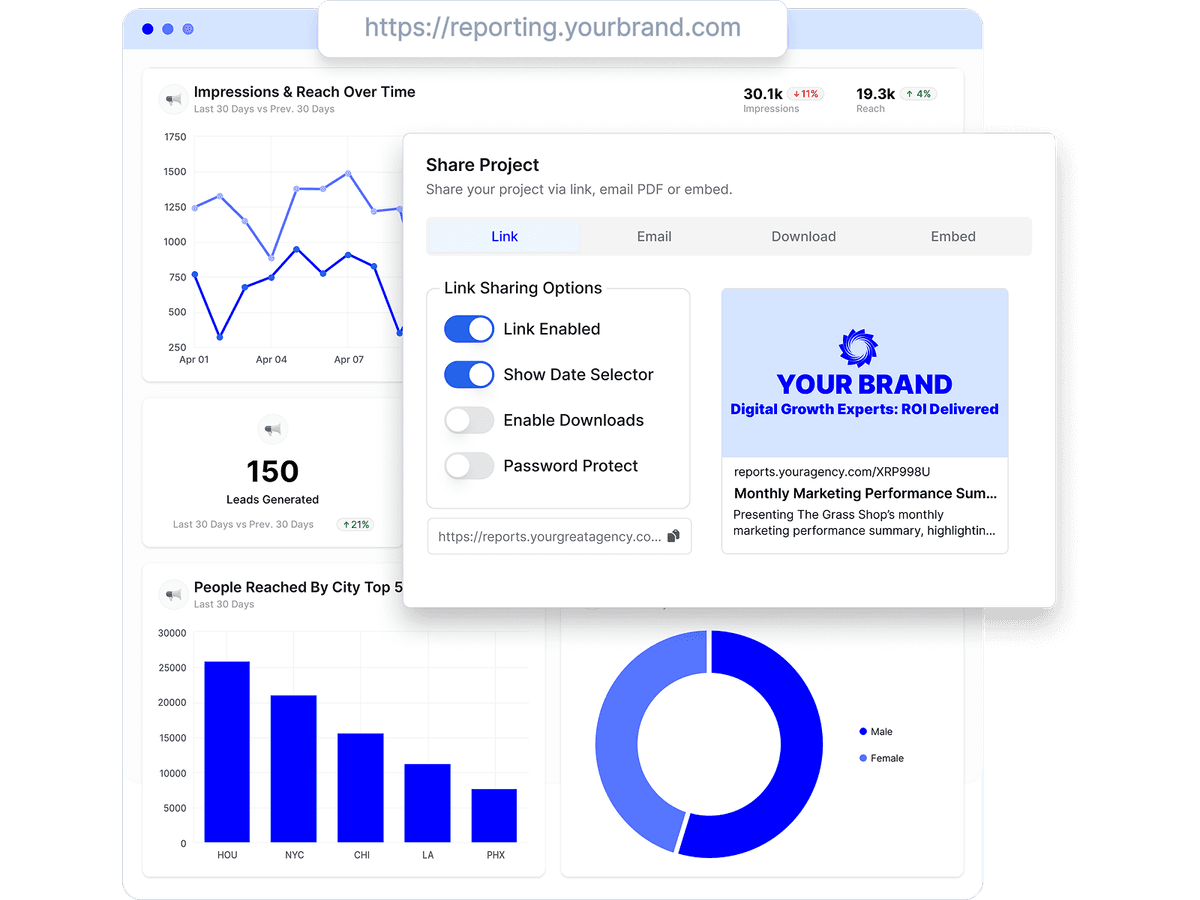
Switch the link on or off, require a password, allow or block PDF downloads, and decide whether viewers can change the date range.
Send the same report as a live link, an email, an embed, or a PDF — without rebuilding it for each channel.
How it works
Every report has a Share panel with four tabs — Link, Email, Download, and Embed — and one set of sharing options that governs all of them.
A link renders live data on every open. A PDF is a snapshot of the moment it was generated. Pick whichever matches what the client actually asked for.
Copy the share URL and send it. The recipient opens it in any browser with no Oviond account and sees the report against live data every time.
Keep the link active or switch it off, require a passphrase, allow PDF downloads, and choose whether viewers get a date selector to change the reporting period.
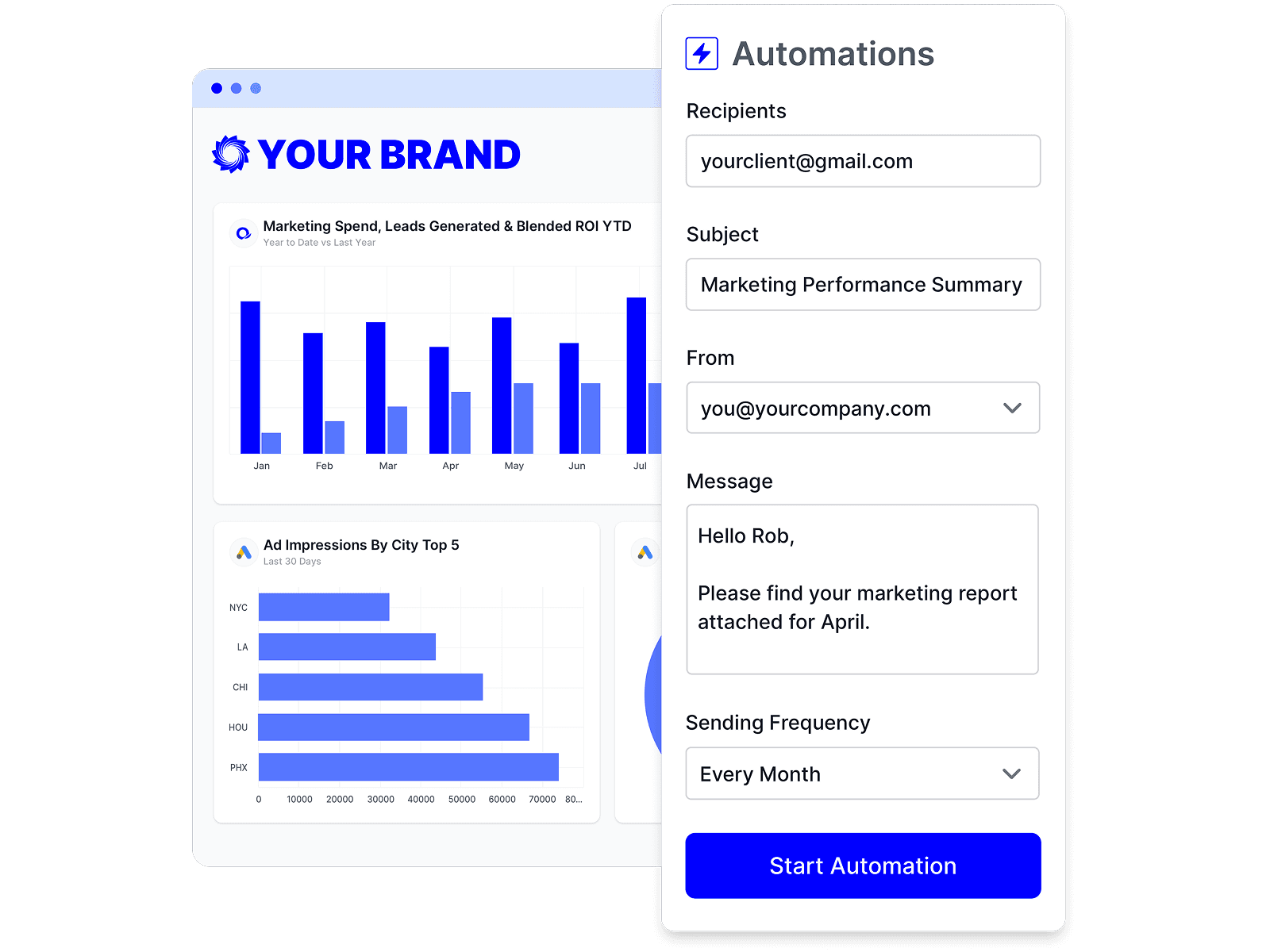
Send the report straight to a list of recipients from the Email tab, using your own verified sender address rather than a generic one.
Copy an iframe snippet from the Embed tab and drop the report into a client portal, an intranet page, or a page on your own site.
Generate an A4 or Letter PDF in portrait or landscape. Rendering runs in the background, and every attempt is kept in a download history you can re-download or clear.
The share page loads on your custom domain and carries your logo, favicon, and brand colors, so the link itself reads as part of the deliverable.
Custom domains and white-label determine what a client actually sees when they open a shared report — restated from the dated fact tables on our comparison pages.
| Tool | White-label | Team & client users |
|---|---|---|
| Oviond | Included on every plan — unlimited white-label theme profiles, one house style or a distinct theme per client | Unlimited, no per-seat fees |
| AgencyAnalytics | Included on every plan | Unlimited staff & client users |
| Swydo | White-label branding and custom domain hosting included | — |
| DashThis | Full white-label (branding removal, custom domain, custom email) from the Professional tier ($139/month annual); Individual gets logo + preset themes only | — |
| ReportGarden | White-labeled dashboards and client-portal custom domain (CNAME) offered; tier inclusion not specified on the pricing page | — |
| Octoboard | Included on the Agencies product from the €25 base tier — white-label client portal, your branding, custom email domain (a genuine strength) | Tiers meter usage — e.g. the agency base includes 200 keywords, 40 SEO audits, and 100 website events; the Business PPC plan caps monthly ad spend |
| Reporting Ninja | Branded client portal on a custom domain, custom report branding, branded email delivery | — |
| Reportz | Included — logo/colors/fonts, custom dashboard URL, white-label email | — |
| Whatagraph | Custom branding, custom domain (CNAME), and white-label emails — reserved for higher tiers | — |
Competitor facts restate the sourced, dated tables on the linked comparison pages (most recent check September 2, 2026); Oviond facts verified September 1, 2026. Vendors change pricing — the comparison pages carry the sources. See every comparison
Three distribution habits a live link retires.
A fresh PDF every time a number moves
One link that re-reads the data on every open.
Clients asking which attachment is the latest
There is only ever one report, at one address.
Handing out a login so a client can look
A public link needs no account and no extra seat.
The link is the last step. These are the three features that shape what arrives.
A shared report resolves to reports.youragency.com and renders in your theme, so nothing about the link points back at a vendor.

Rather than emailing the link each month, schedule the report once and Oviond delivers it to the recipient list on the cadence you set.
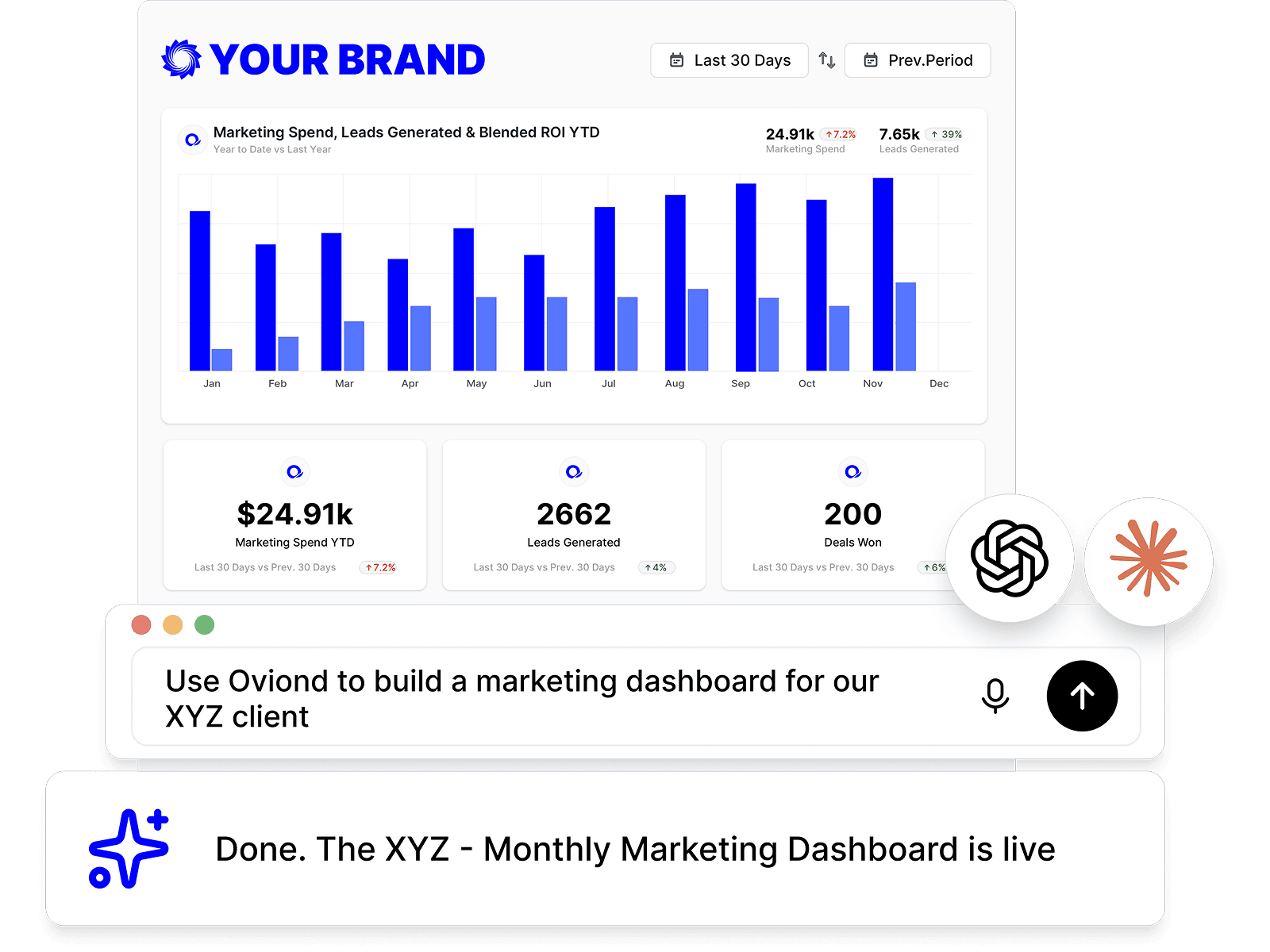
Connect an AI assistant over MCP or call the REST API to build a report and share it without opening the app.
A single shared report can carry any of the 70+ marketing data sources Oviond connects — paid media, analytics, search, social, email, CRM, and e-commerce in one view.
Start from an agency-ready template, connect the client's data, and the link is ready to send.
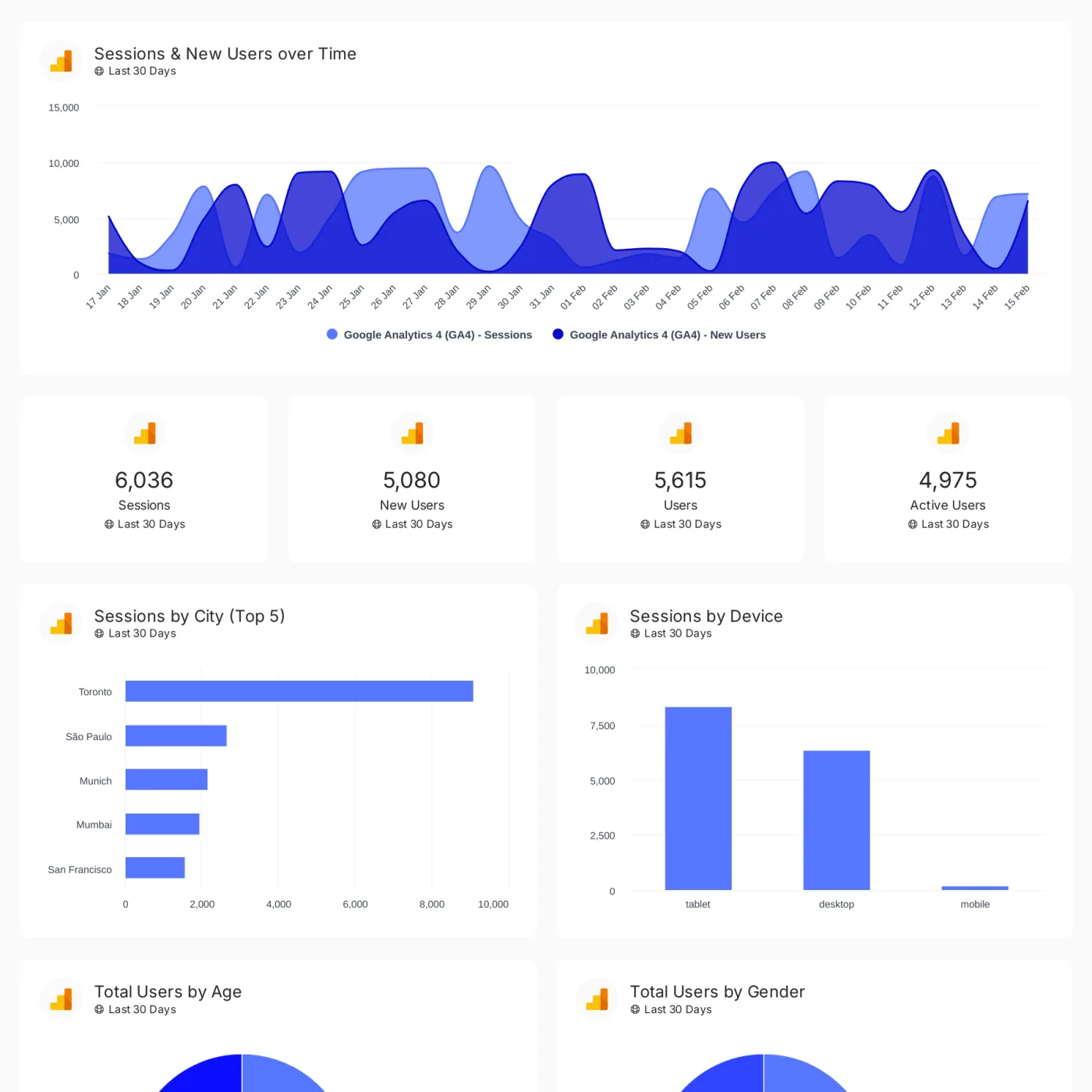
Track conversions, revenue, traffic, and customer engagement across your client's full marketing stack in one branded dashboard.
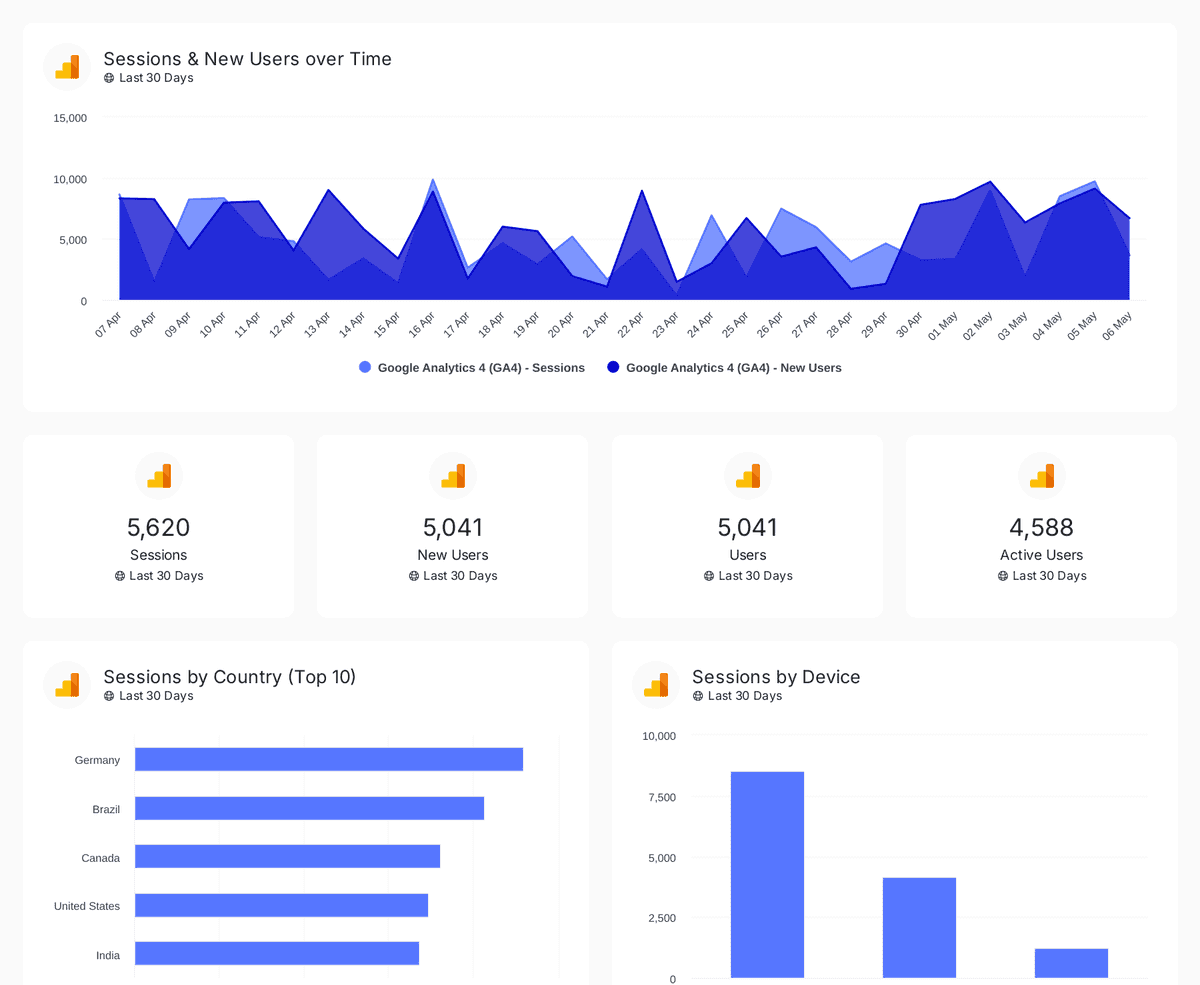
Track sessions, users, and traffic sources with insights by country, device, age, gender, and channel performance analysis
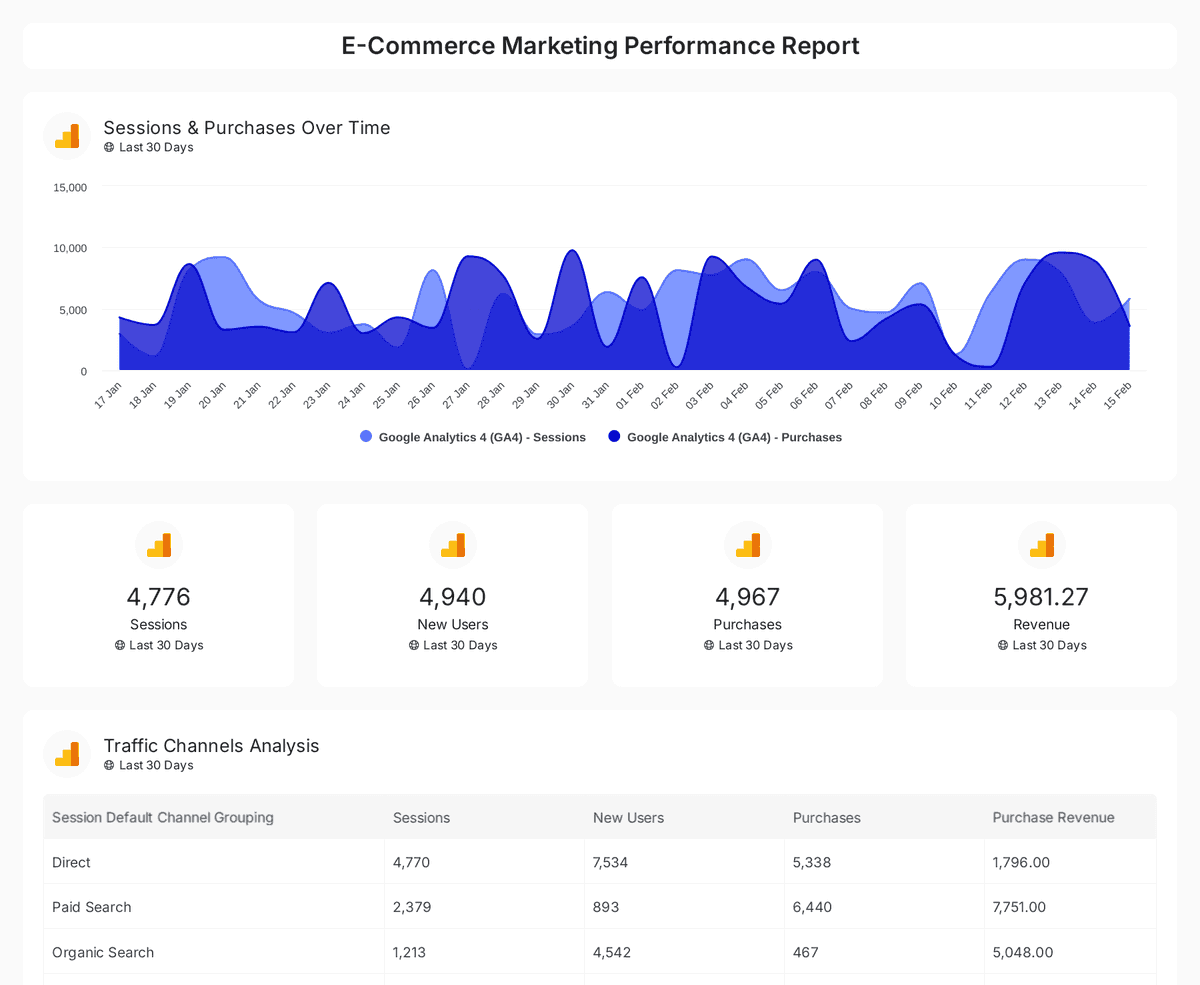
Analyze e-commerce sales, conversions, and traffic insights with interactive, real-time performance metrics.
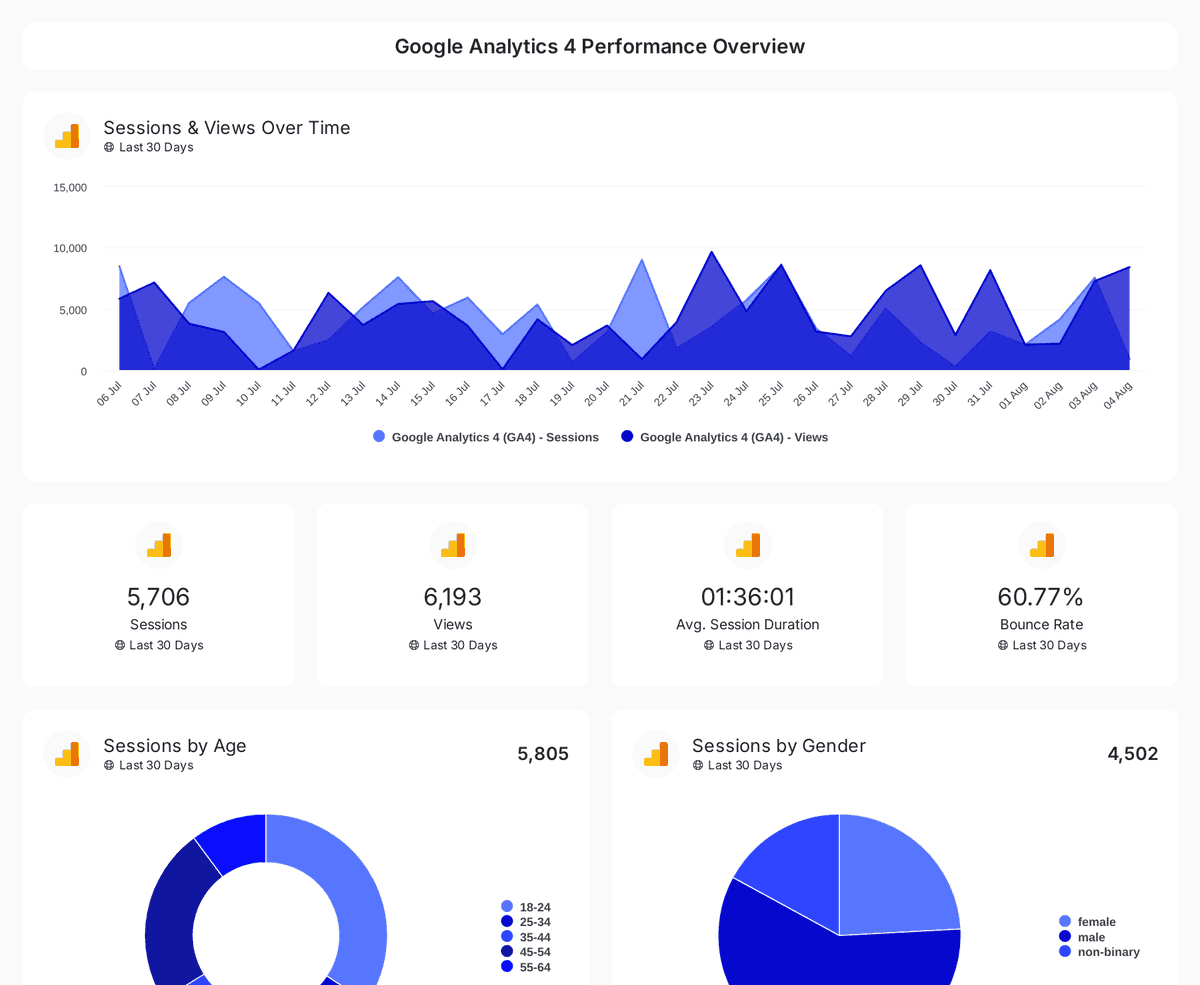
Monitor website traffic, user demographics, and page performance with insights from Google Analytics 4, Search Console, and Page Speed Insights.
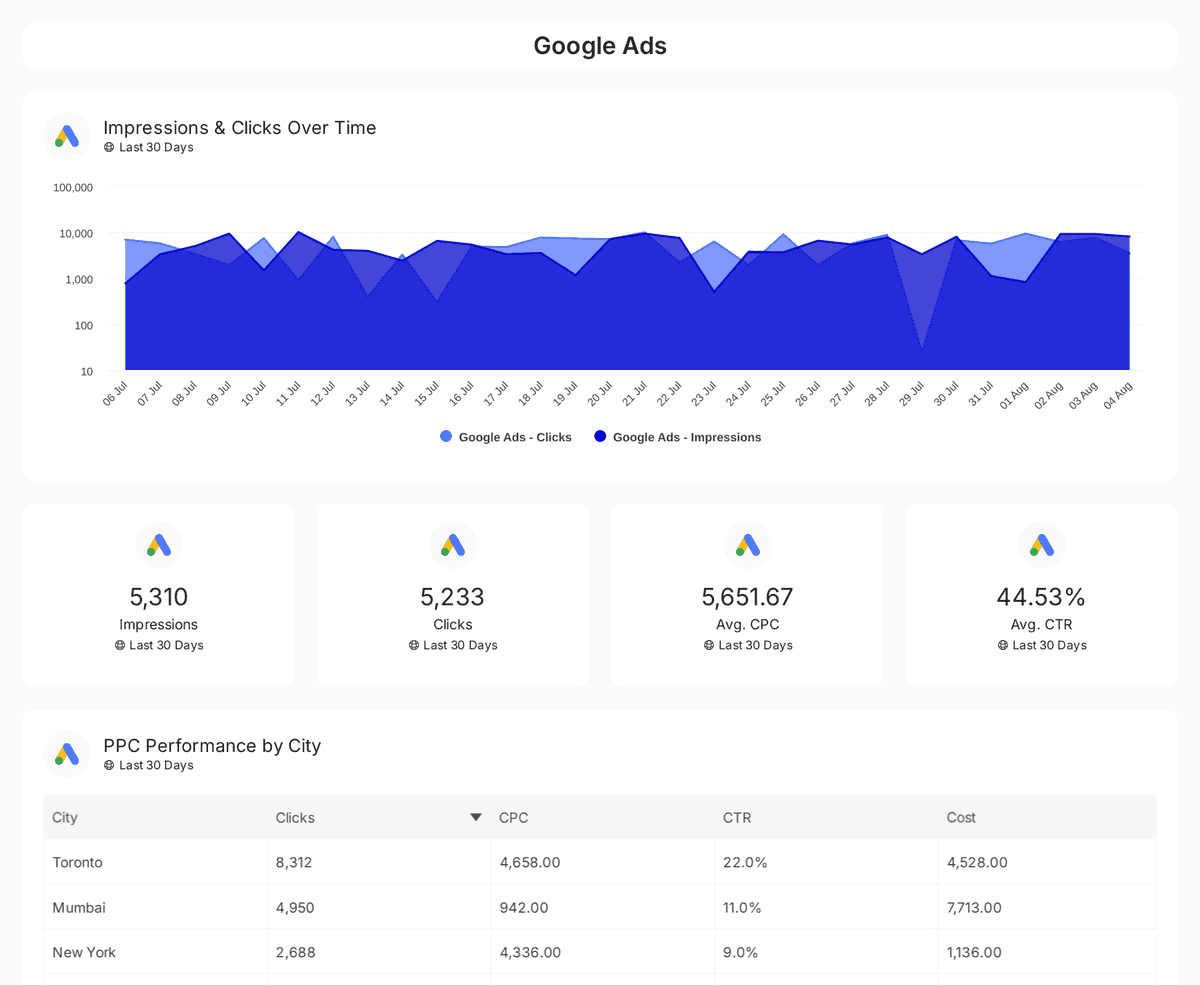
Track and compare reach, clicks, impressions, and CTR across Google, Facebook, Instagram, LinkedIn, and Twitter Ads over time.
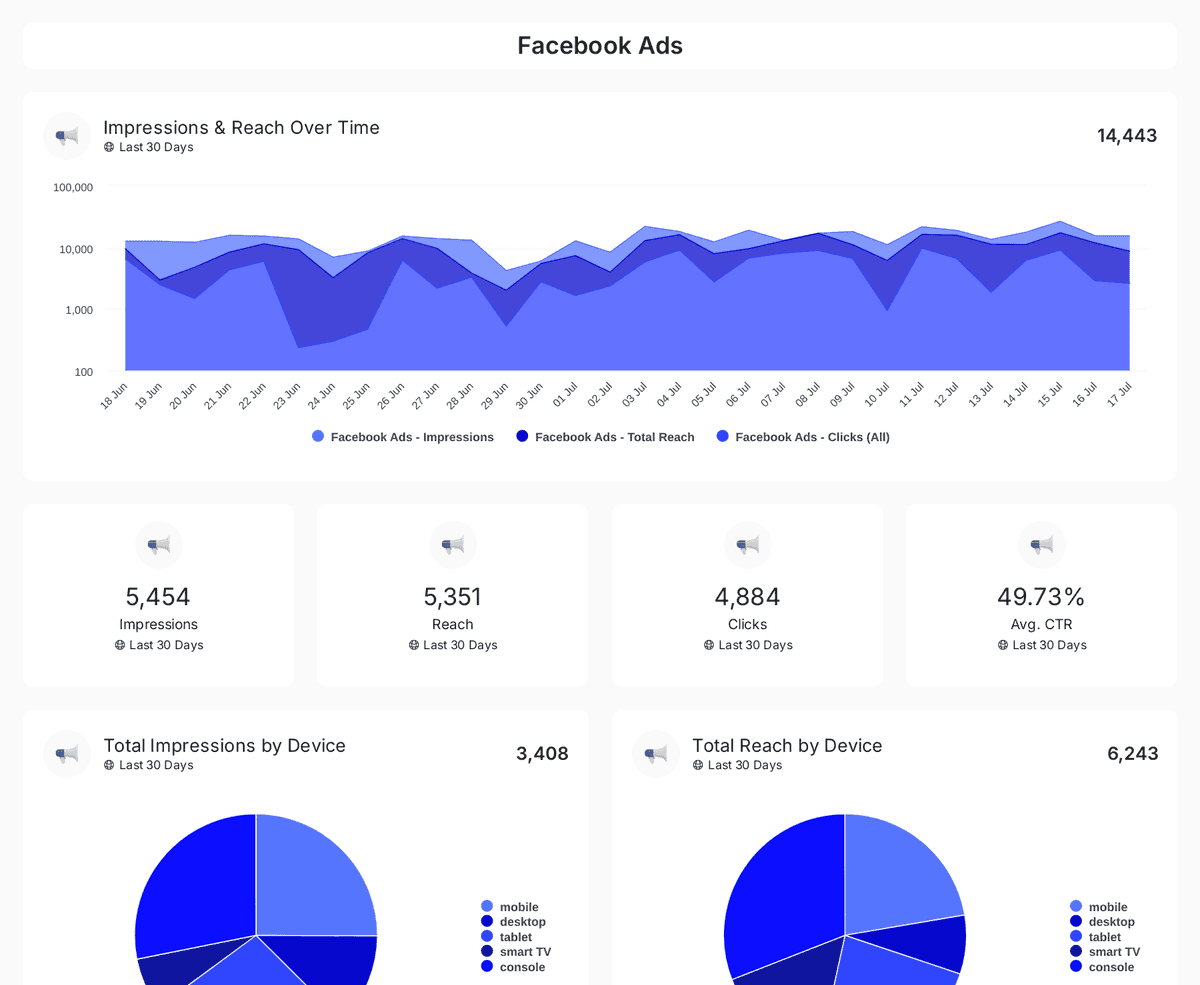
Track impressions, clicks, CTR, and ad spend across Facebook, Instagram, LinkedIn, TikTok, and Twitter Ads with insights on engagement & conversions.
| Fact | Oviond |
|---|---|
| Custom domains | One custom-domain slot per client slot, included |
| White-label | Included on every plan — unlimited white-label themes |
| Team users | Unlimited, no per-seat fees |
| Scheduled delivery | Recurring report email delivery and automations included on every plan |
| Starting price | $40/month billed annually ($50 month-to-month) for 10 clients |
Oviond facts verified September 1, 2026 by Oviond Product. Pricing in USD. See full pricing
Links, passwords, PDFs, and embeds — what each sharing option does.
Open the report and click Share in the top-right of the editor. On the Link tab, copy the share URL and keep Link is Active switched on so anyone with the link can open the report.
No. A shared link opens in any browser with no sign-in and no seat on your plan. Clients see the report and its live data, nothing else in your account.
Yes. Switch on Enable Password and set a passphrase. Without one, anyone holding the link can open the report for as long as the link stays active, so use a password whenever the report contains sensitive client data.
Yes. Turn off Link is Active in the sharing options and the URL stops working immediately. Switch it back on and the same link resumes.
Yes, when Allow PDF Download is switched on. PDFs are generated on demand in A4 or Letter, portrait or landscape. Rendering runs in the background and each attempt appears in the report's download history as processing, completed, or failed.
Yes, if you switch on Show Date Selector. Viewers can then move the report to a different period without asking you to rebuild it.
Yes. The Embed tab gives you an iframe snippet you can paste into any page that accepts HTML, so a report can live inside a portal or intranet you already run.
A link is live: it renders current data each time it opens. When you need a fixed record — an end-of-month snapshot, say — generate a PDF from the Download tab instead.
The link host resolves to the client's own custom domain first, then your account's default custom domain, then an unbranded platform host. Adding a custom domain is what puts share links on a URL you own.
Sharing is the delivery step. For the rest of the workflow, see marketing reporting for the recurring deliverable, marketing dashboards for always-on client visibility, the drag-and-drop report builder for laying pages out, and custom metrics and data queries for choosing what goes on them. Weighing tools up? Browse all comparisons.
Build the report once, share it live, and let clients open the current numbers whenever they want.