Agency logos
Upload a square mark and a full logo once under Settings → Company. Every client set to agency branding picks them up. A PNG or SVG with a transparent background works best in both.
Feature
White-label reporting means every report and dashboard leaves Oviond under your logo, your colors, and your own domain — clients see your agency, never the tool behind it.
Why white-label reporting
Client reporting is a deliverable with your name on it. White-labeling makes sure it reads that way.
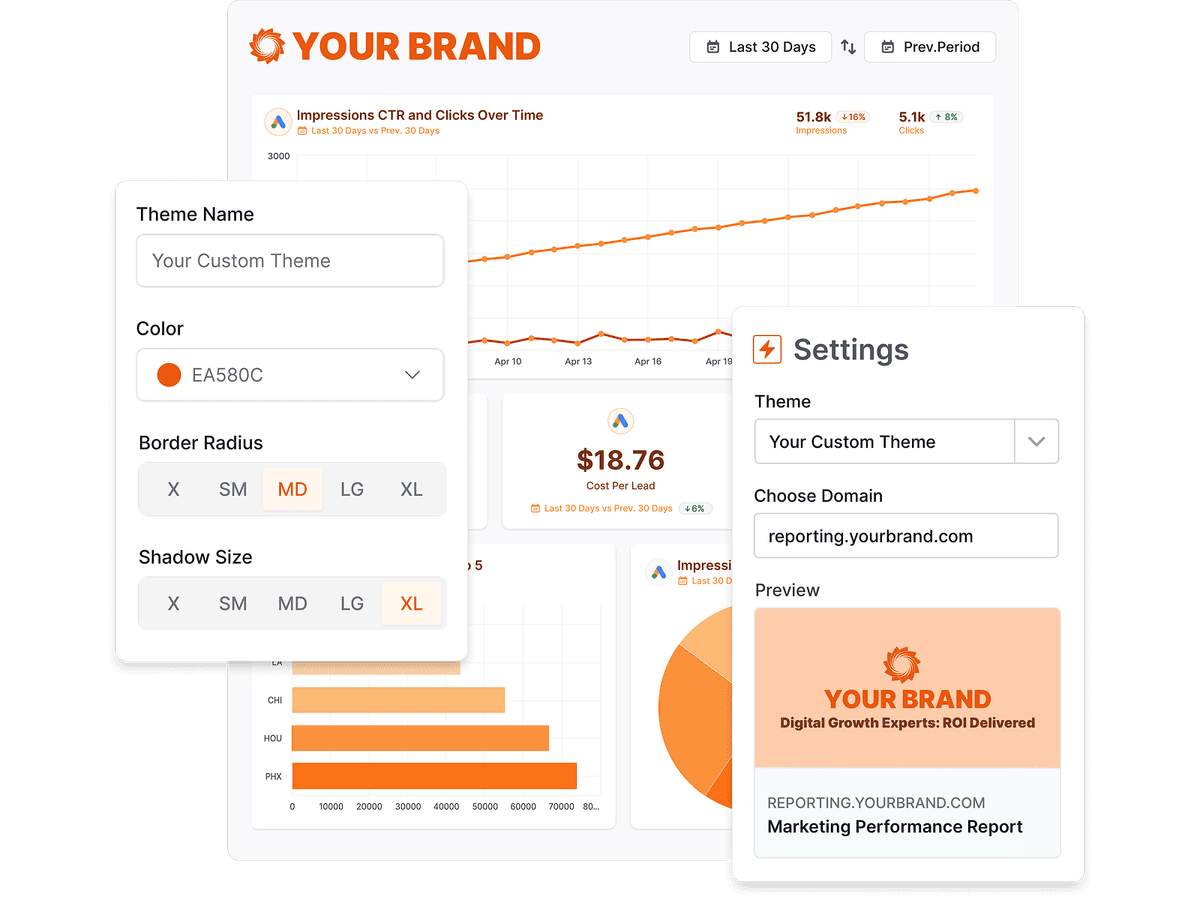
Logos, chart colors, fonts, and cover pages are yours to set. A finished report carries no trace of the platform that built it.
Reports open on a subdomain you own, with the SSL certificate handled for you, so the link in a client's inbox is yours end to end.
White-label branding is part of the product, not a paid add-on and not held back for an enterprise tier.
How it works
White-labeling spans three layers: the logos on the report, the theme that styles it, and the domain a client opens it from. You set each one once and it applies to everything downstream.
Share links resolve their host in order — the client's own custom domain first, then your account default, then an unbranded platform fallback. Once a domain is active, nothing a client touches carries the Oviond name.
Upload a square mark and a full logo once under Settings → Company. Every client set to agency branding picks them up. A PNG or SVG with a transparent background works best in both.
Each client picks its own logo source: inherit the agency logos, or upload a square and full logo of its own. Useful when you report under a sub-brand or a partner's name.
A theme bundles a primary color, ten chart colors, canvas and header colors, font, border radius, and shadow. Set the primary color and Oviond derives the chart palette, or pin all ten by hand.
Every theme carries its own cover-page and thank-you-page design, so a report opens and closes on your branding instead of a bare first chart.
Point reports.youragency.com at Oviond with a CNAME record and the SSL certificate is provisioned for you. Your first domain becomes the account default, and any client can override it.
Scheduled reports can leave from reports@youragency.com. Verify a sending domain with DKIM, SPF, and DMARC records, or connect your own SMTP server instead.
Whether branding and custom domains are included, gated to a higher tier, or sold as an add-on — restated from the dated fact tables on our comparison pages.
| Tool | White-label | Starting price |
|---|---|---|
| Oviond | Included on every plan — unlimited white-label theme profiles, one house style or a distinct theme per client | From $40/month billed annually ($50 month-to-month) — 10-client minimum, $4/$5 per client |
| AgencyAnalytics | Included on every plan | $20 per client/month billed annually, or $25 per client/month month-to-month (the "Save 20% annually" toggle on their pricing page) |
| Swydo | White-label branding and custom domain hosting included | €62/month billed annually (€69 monthly) — first 10 data sources included |
| DashThis | Full white-label (branding removal, custom domain, custom email) from the Professional tier ($139/month annual); Individual gets logo + preset themes only | Individual: $44/month billed annually ($54 monthly) — 3 dashboards, 15 data sources, no full white-label |
| ReportGarden | White-labeled dashboards and client-portal custom domain (CNAME) offered; tier inclusion not specified on the pricing page | — |
| Octoboard | Included on the Agencies product from the €25 base tier — white-label client portal, your branding, custom email domain (a genuine strength) | "For Agencies" from €25/month for 5 clients (~€5/client), 30% off annual; the separate "for Business" plans from €12/month |
| Reporting Ninja | Branded client portal on a custom domain, custom report branding, branded email delivery | Starter: $20/month billed annually ($25 monthly) — 10 reports, 4 users, 10 accounts |
| Reportz | Included — logo/colors/fonts, custom dashboard URL, white-label email | $9.90 per dashboard per month (volume slider; e.g. 8 dashboards ≈ $78.72/month) |
| Whatagraph | Custom branding, custom domain (CNAME), and white-label emails — reserved for higher tiers | Go: €199/month, 20 source credits; Max: from €699/month, 50+ credits; Prime: custom |
Competitor facts restate the sourced, dated tables on the linked comparison pages (most recent check September 2, 2026); Oviond facts verified September 1, 2026. Vendors change pricing — the comparison pages carry the sources. See every comparison
Three places a reporting tool usually gives itself away, and what Oviond puts there.
A report wearing someone else's logo
Your mark, your palette, and your fonts on every page.
A share link on a vendor's domain
reports.youragency.com, with the certificate handled for you.
Reports arriving from a no-reply address
Delivery from your own verified sending domain.
Set it once and it follows the report through every route it takes to the client.
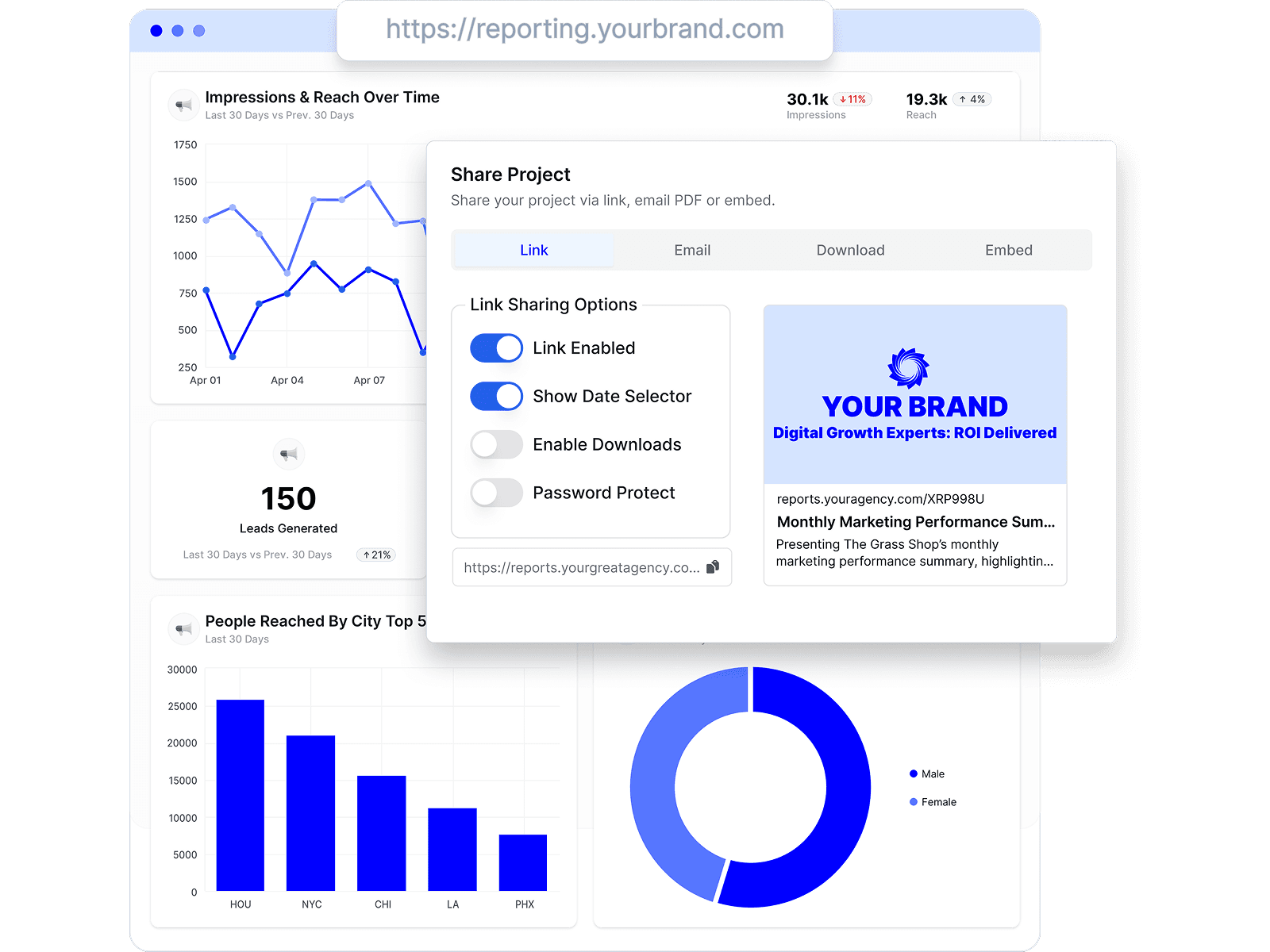
Once the theme is set, share the report by live link, email, embed, or PDF. Every route carries the same branding and the same domain.
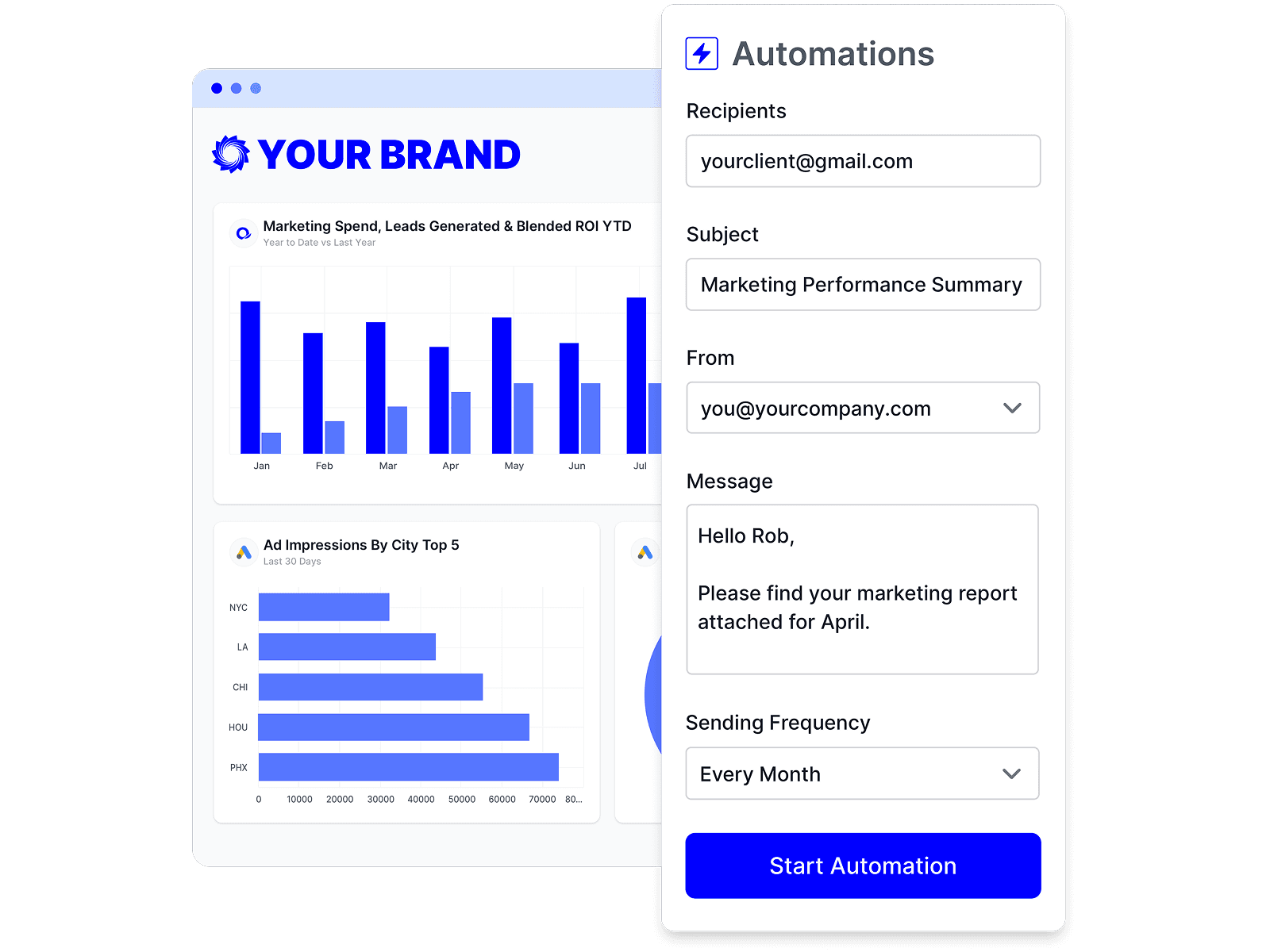
Schedule a branded report for daily, weekly, or monthly delivery and it goes out from your sender, on your theme, with no rebuild.
Drag in data, headings, commentary, and images to lay out a report that looks like your agency designed it, not like a data export.
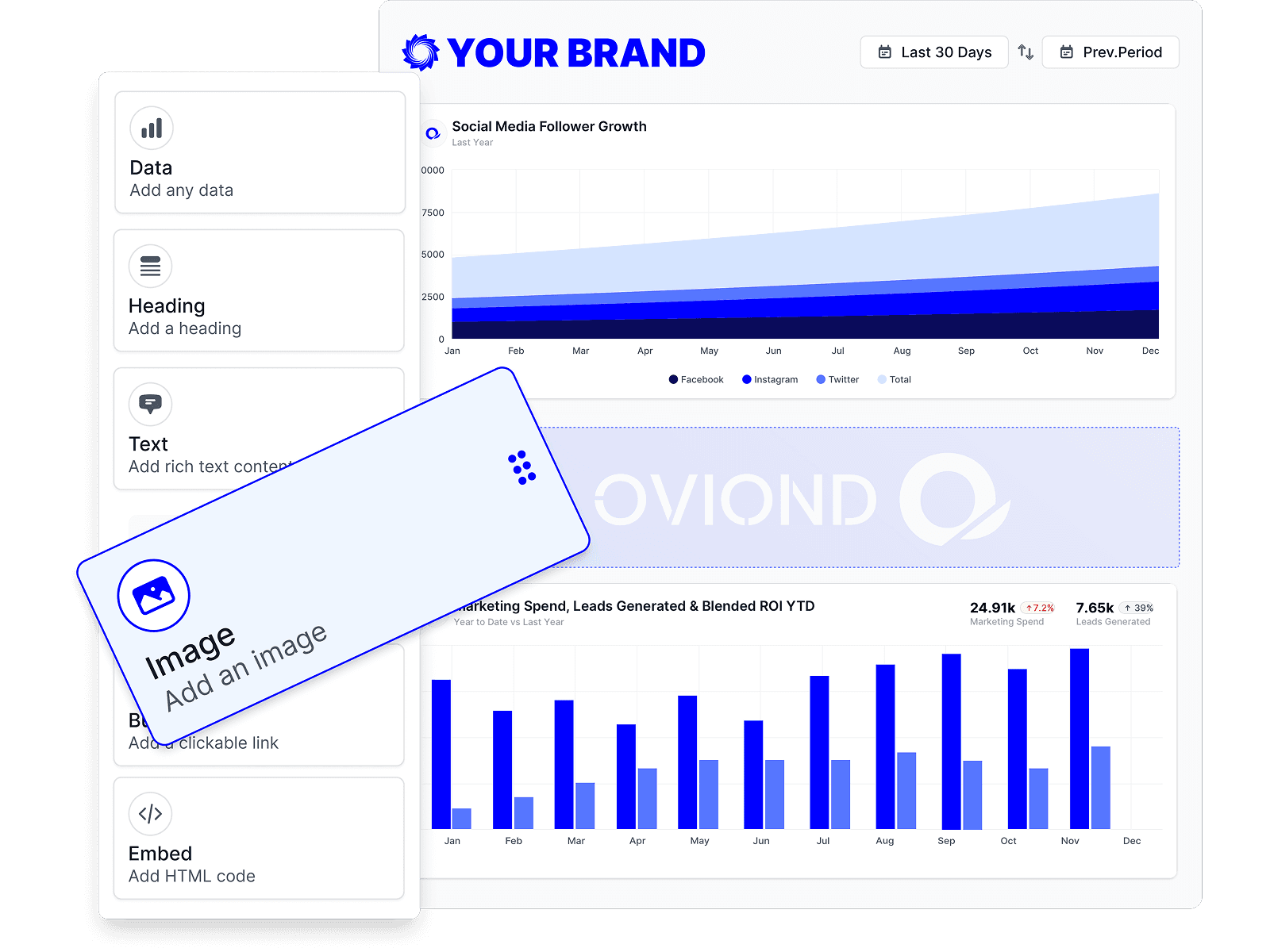
Oviond connects 70+ marketing data sources across analytics, paid media, search, social, email, CRM, and e-commerce — and every one of them renders in your theme.
Pick an agency-ready layout and apply your theme — the whole report is on-brand before you add a single widget.
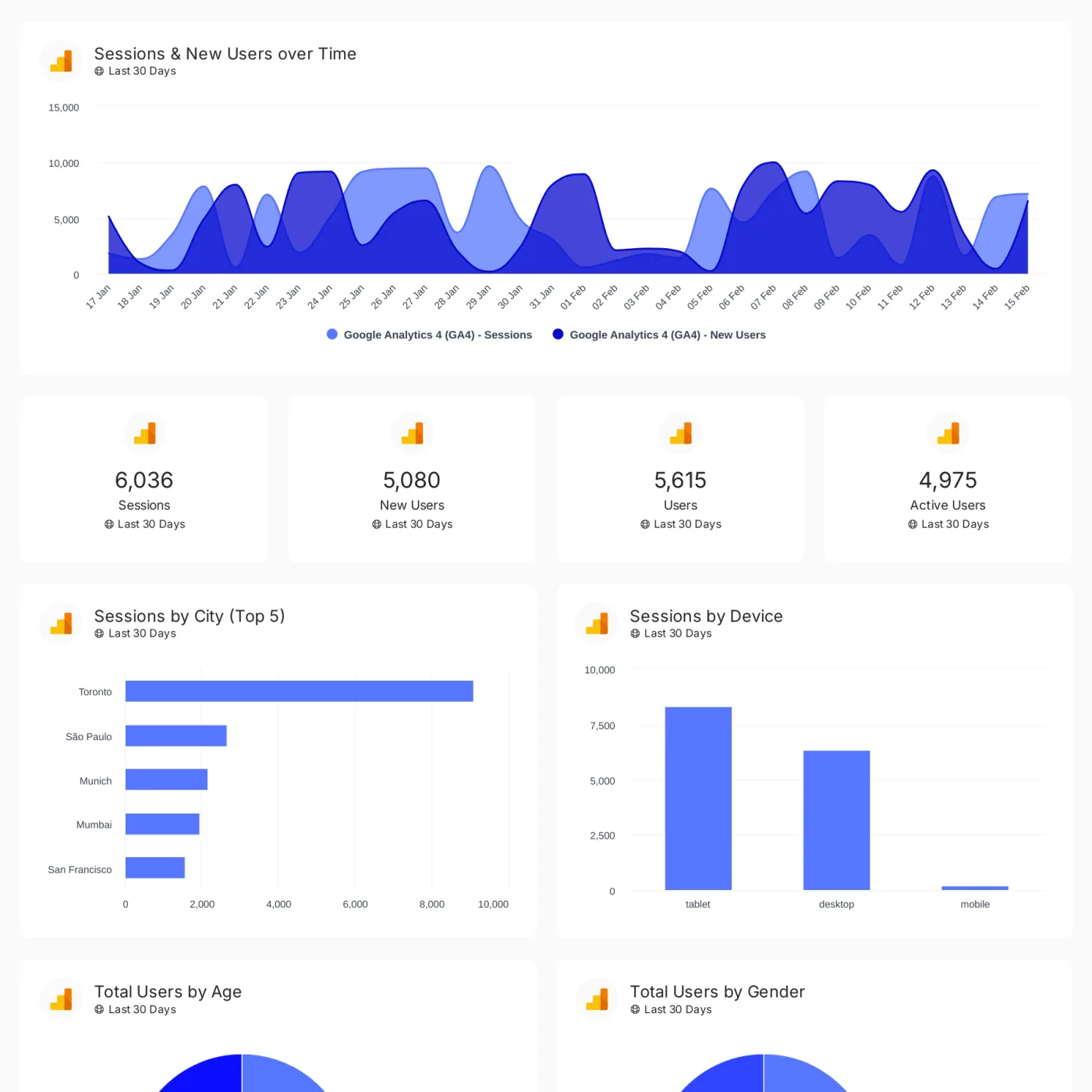
Track conversions, revenue, traffic, and customer engagement across your client's full marketing stack in one branded dashboard.
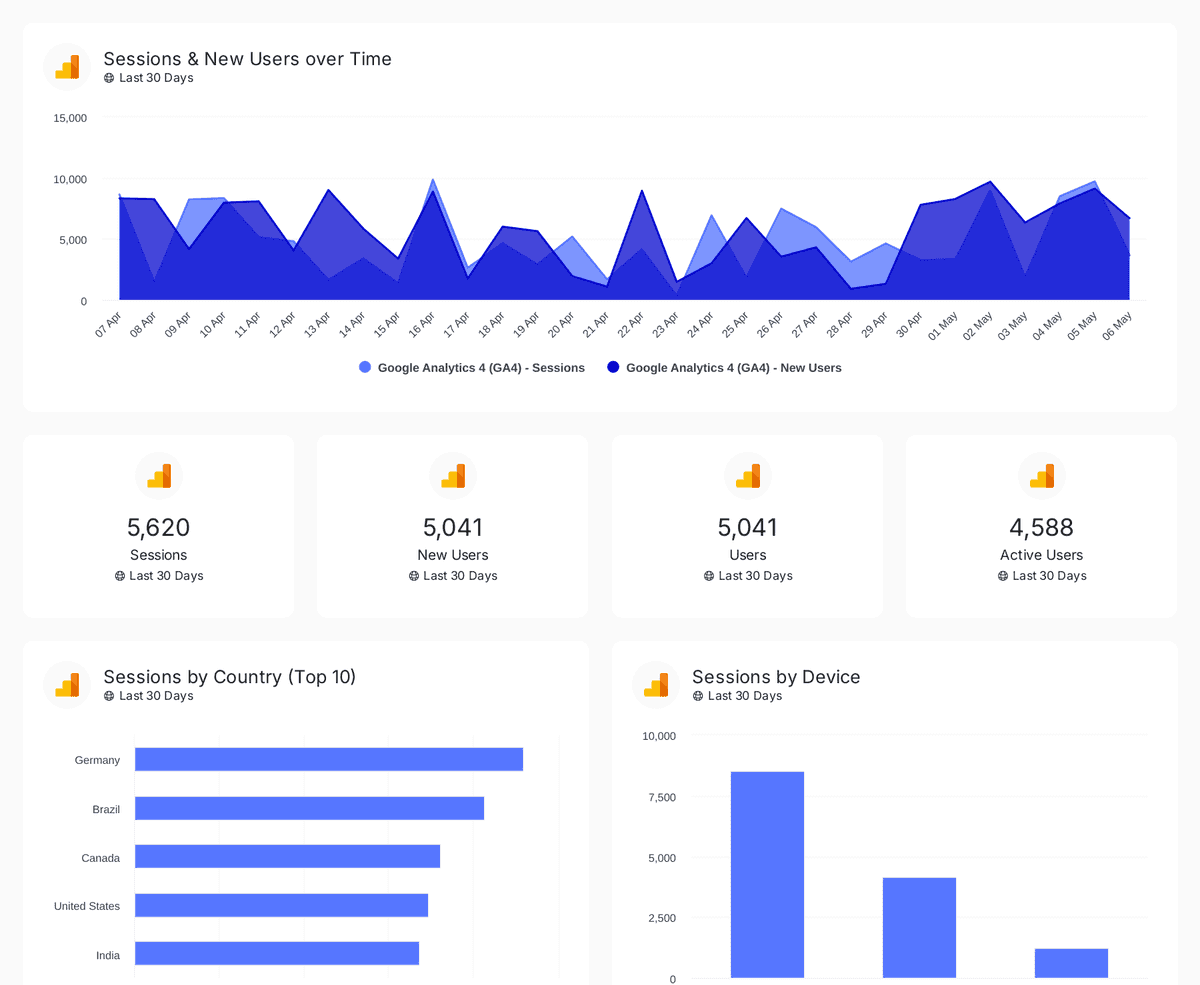
Track sessions, users, and traffic sources with insights by country, device, age, gender, and channel performance analysis
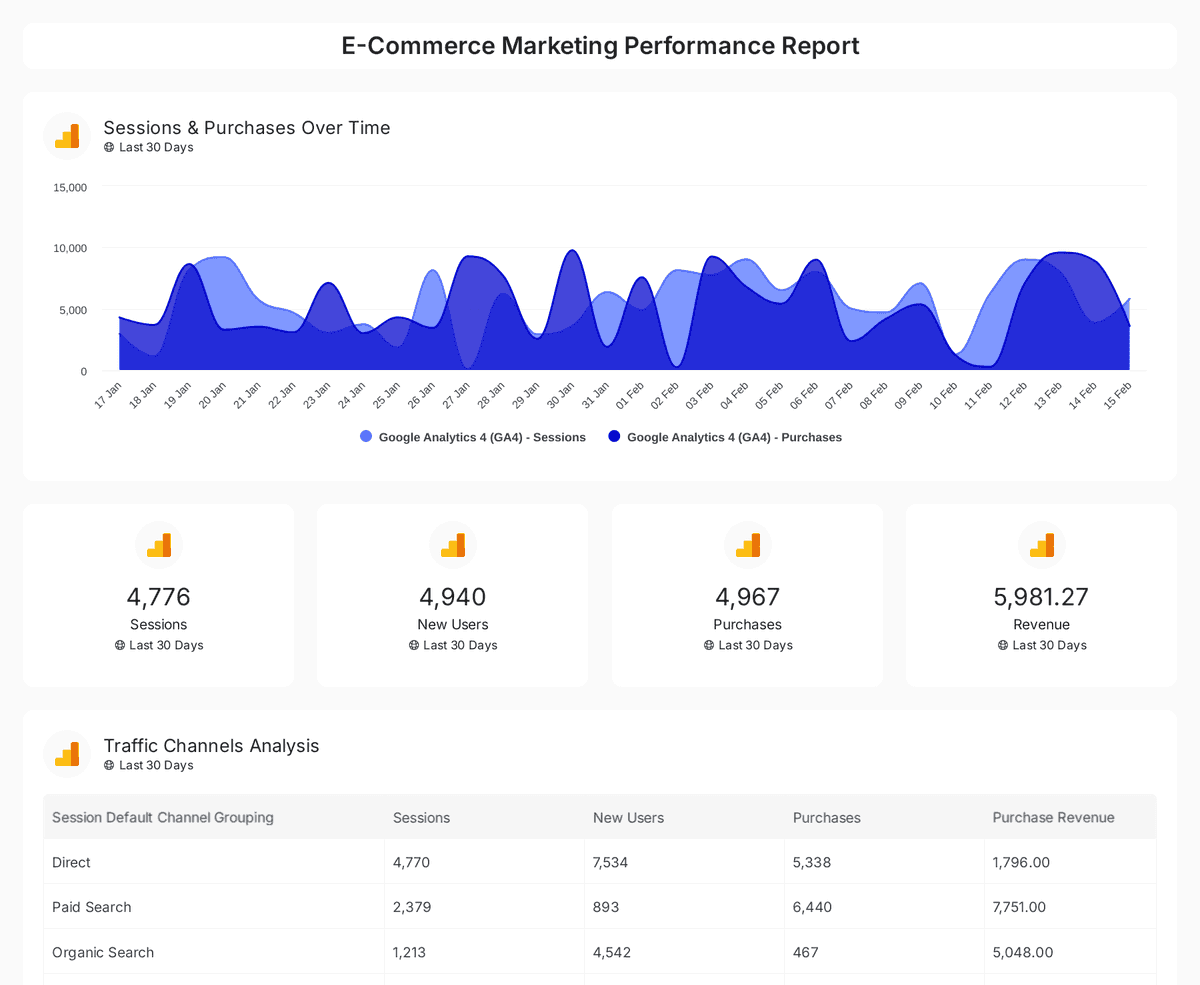
Analyze e-commerce sales, conversions, and traffic insights with interactive, real-time performance metrics.
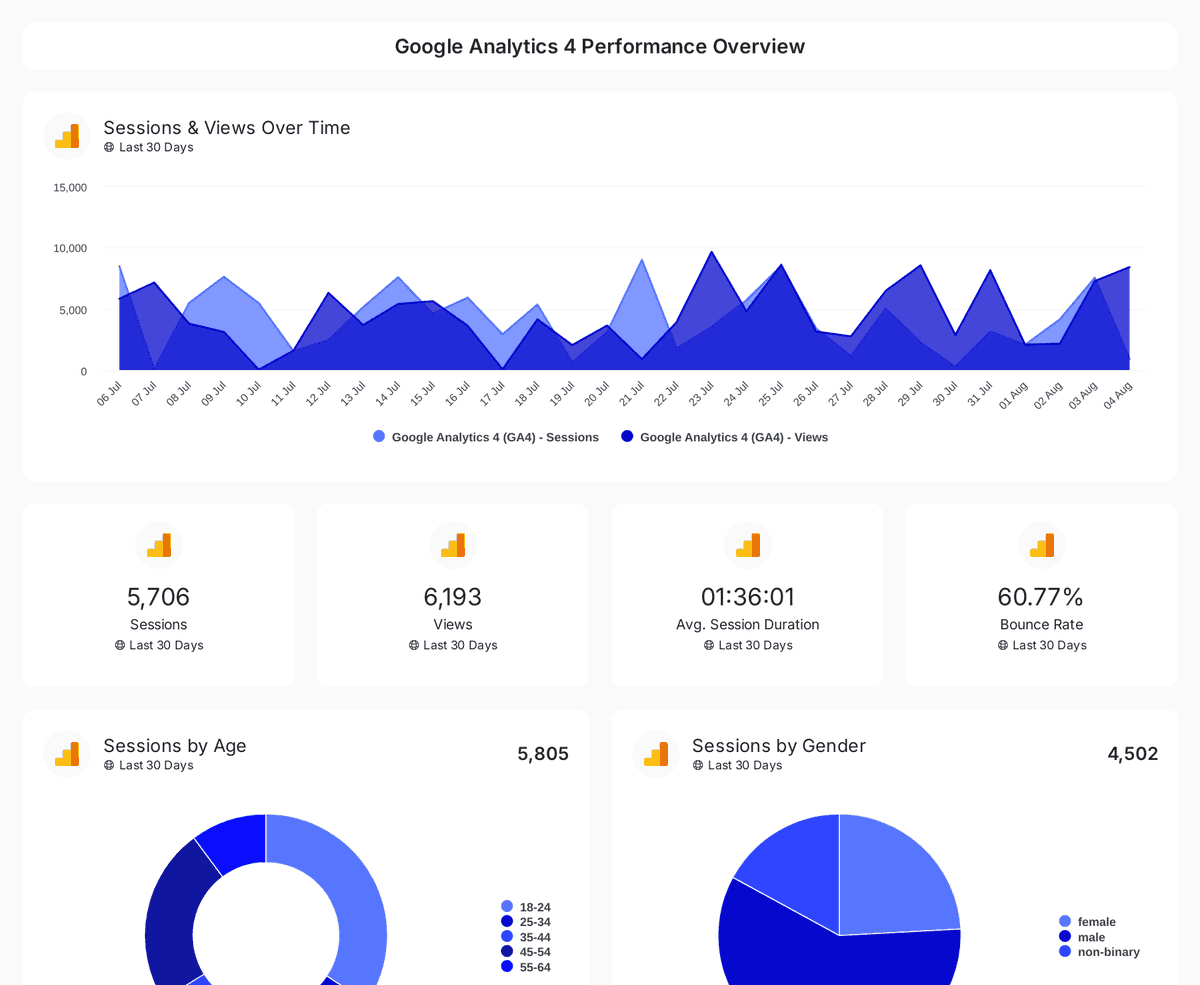
Monitor website traffic, user demographics, and page performance with insights from Google Analytics 4, Search Console, and Page Speed Insights.
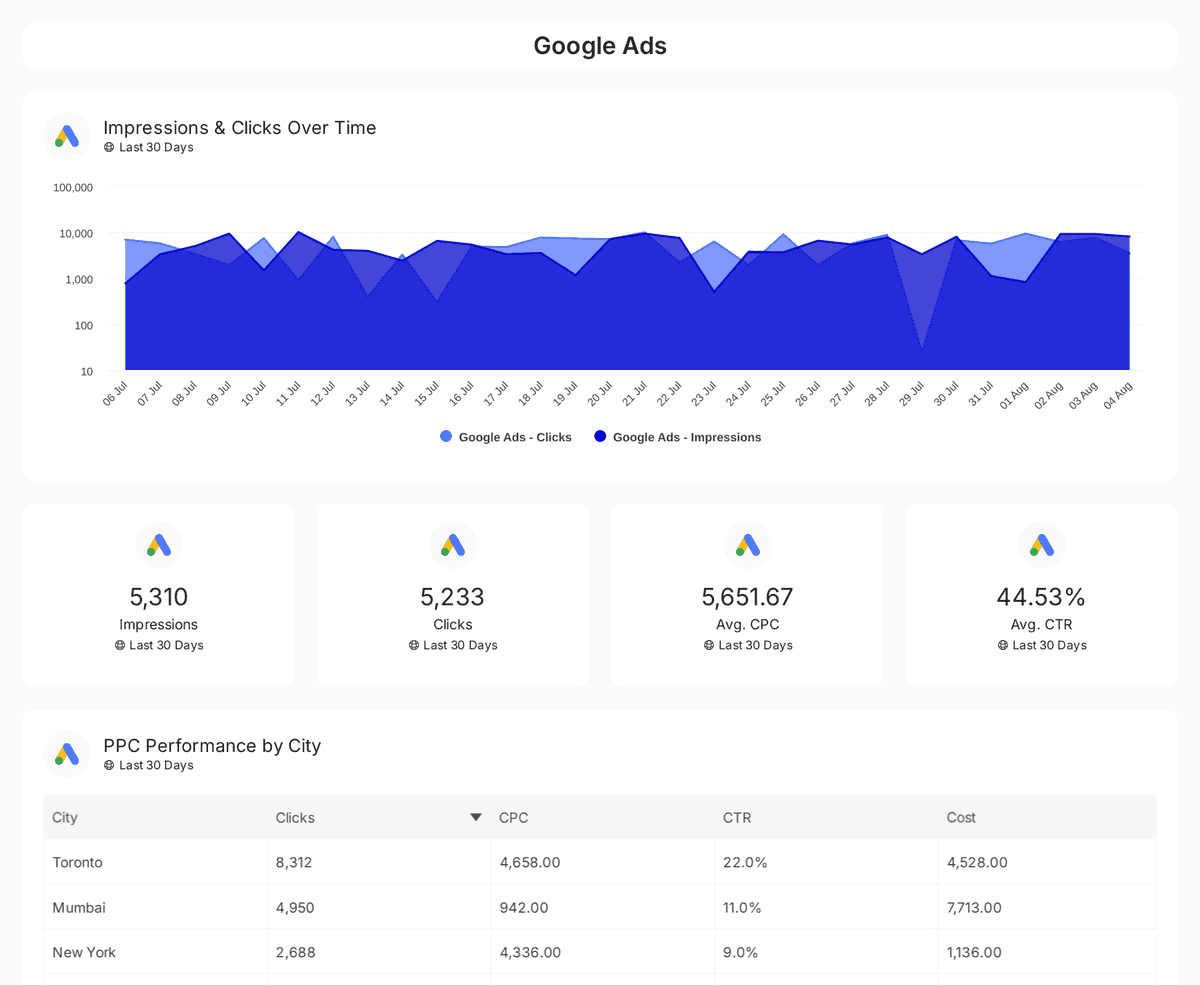
Track and compare reach, clicks, impressions, and CTR across Google, Facebook, Instagram, LinkedIn, and Twitter Ads over time.
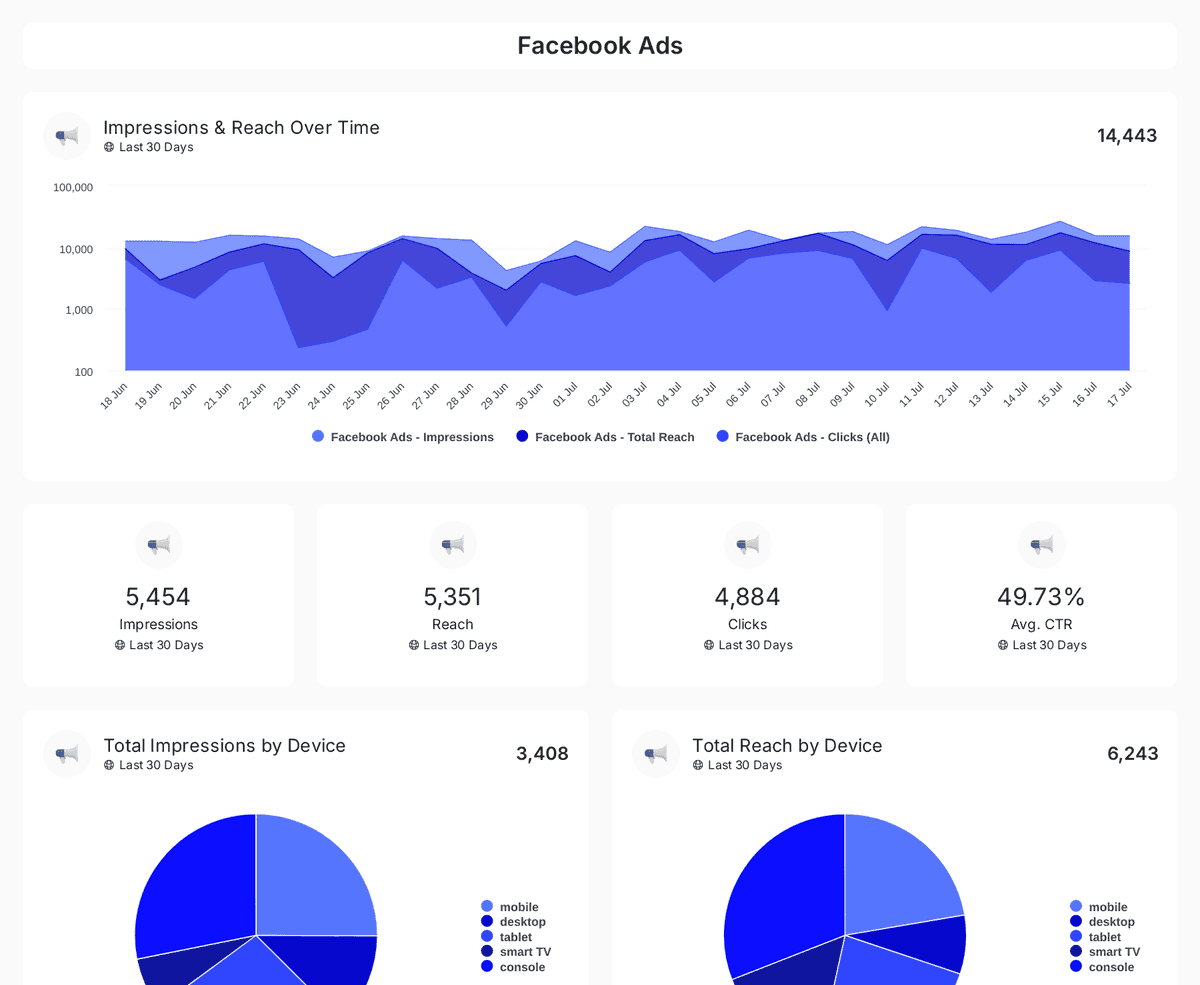
Track impressions, clicks, CTR, and ad spend across Facebook, Instagram, LinkedIn, TikTok, and Twitter Ads with insights on engagement & conversions.
| Fact | Oviond |
|---|---|
| White-label | Included on every plan — unlimited white-label themes |
| Custom domains | One custom-domain slot per client slot, included |
| Sending identity | Reports sent from your own verified sending domain |
| Starting price | $40/month billed annually ($50 month-to-month) for 10 clients |
| Free trial | 15 days, every feature included, no credit card |
Oviond facts verified September 1, 2026 by Oviond Product. Pricing in USD. See full pricing
Logos, themes, domains, and sender addresses — how each layer of branding works.
White-label reporting means the reports you deliver carry your branding rather than the software vendor's. In Oviond that covers the logos on the report, the colors and fonts it renders in, the domain the client opens it from, and the address it is emailed from.
Yes. White-label reporting is included on every Oviond plan. It is not an add-on and it is not held back for a higher tier.
Yes. Each client chooses whether to inherit your agency logos or use its own square and full logo, can be assigned its own theme, and can override the domain its share links resolve to.
Add a subdomain such as reports.youragency.com under Settings → Custom domains. Oviond detects your DNS host and shows the exact CNAME record to add, plus a TXT ownership record when one is needed. On Cloudflare, set the record to DNS only so the certificate can be issued.
A domain moves through pending, verifying, and active as the records propagate and SSL is provisioned. DNS changes can take anywhere from a minute to several hours depending on your provider, so add the domain before the deadline you need it for.
Yes. Verify a sending domain by adding the DKIM and SPF records Oviond shows you, plus the recommended DMARC record, then create senders on that domain. If you would rather use your own mail server, configure an SMTP sender instead.
Yes. A theme derives ten chart colors from your primary color, and you can switch the palette between tonal and contrast modes or open the chart colors and set each of the ten by hand when your brand mandates a full spec.
Yes. When you save a theme you choose its scope: the current report, every report for one client, or every report in the account. Setting a client theme separately means new reports for that client start on-brand automatically.
Share links resolve to the client's custom domain first, then your account default domain, then an unbranded platform host. Until at least one custom domain is active, links use that fallback host — so adding a domain is the step that closes the loop.
Branding is the surface. See what sits under it: marketing reporting for the recurring deliverable, marketing dashboards for the weeks between reports, custom metrics and data queries for the numbers on the page, and the reporting API and MCP server if you want branding applied programmatically. Comparing tools on white-label support? Start with all comparisons.
Set your logos, pick a theme, point your domain — then every report that leaves Oviond is yours.