
Oviond Blog
Build vs buy marketing reporting: what the weekend dashboard leaves out
AI can code a client dashboard in a weekend. Keeping every client's data connected, correct and delivered is the job that decides build vs buy.
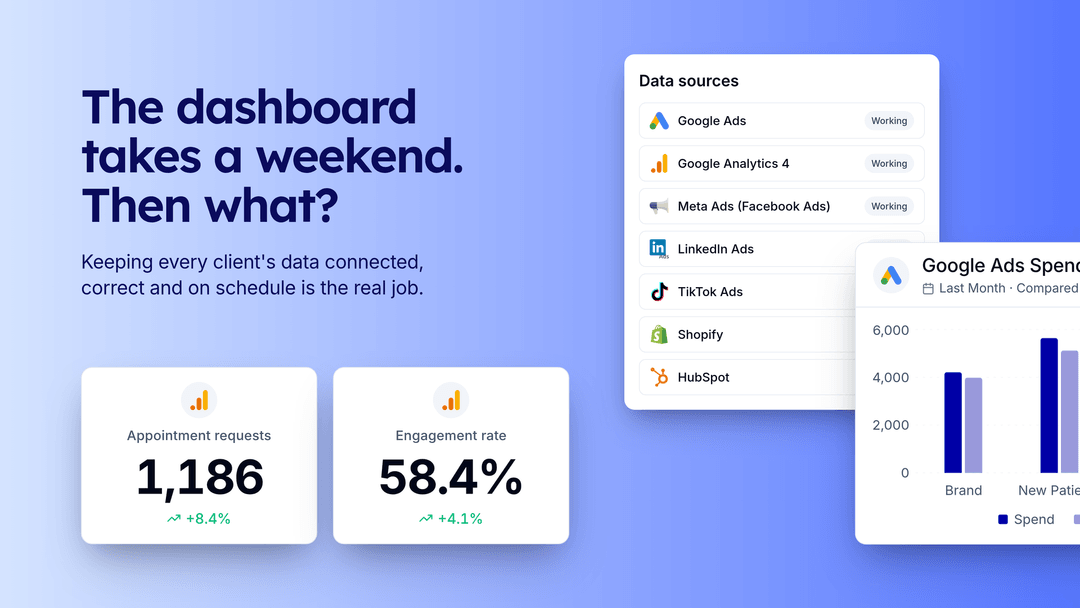
Build vs buy for marketing reporting comes down to one question: who runs the data layer? AI coding tools can produce a decent client dashboard against one platform’s API in a weekend, so the front end is rarely the hard part anymore. The work that decides it starts the Monday after, when someone has to keep every client’s data connected, correct and delivered, across every platform, every month.
Here’s what that work involves, what it costs, and the middle path we’d take if we were building custom reporting today.
The short answer
Buy the data layer unless reporting is the product you sell. Build on top of it when you need something custom. That covers most agencies and in-house teams:
- Buy when you report on several platforms for several clients and want branded reports out the door every month.
- Build on an API when you want your own portal, internal tool, AI agent or data pipeline but don’t want to own a connector for every ad platform.
- Build from scratch when you report on one or two platforms, have engineers who’ll own it long term, or the reporting itself is what you sell.
What the weekend build covers
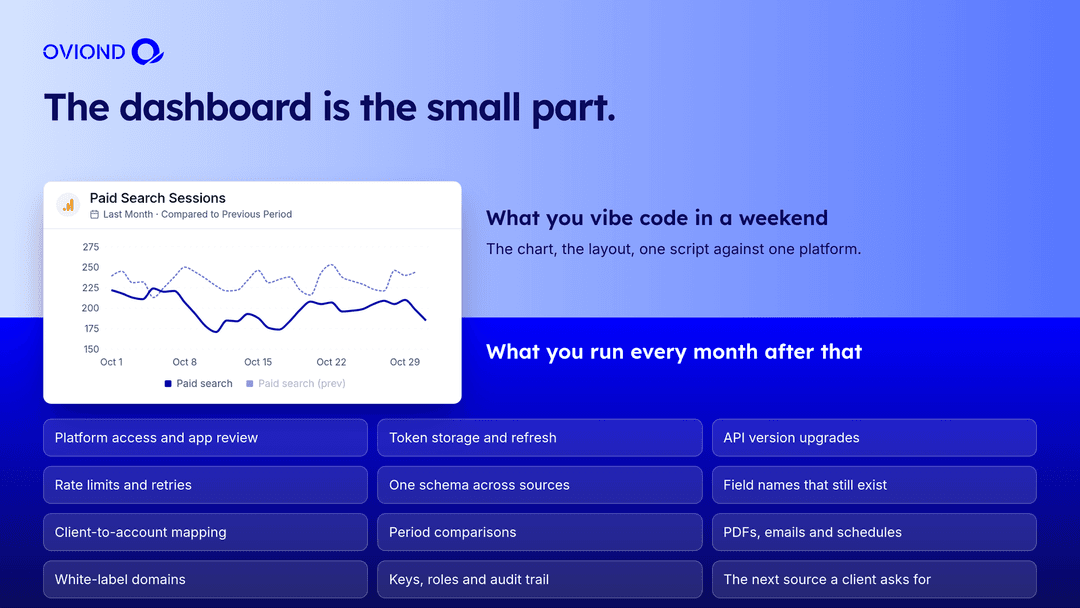
Give a coding assistant an API key and a prompt and you’ll get:
- A script that authenticates against one platform and pulls a few metrics
- A chart library rendering those metrics
- A layout with your logo
- Maybe a cron job that emails a screenshot
That’s a real result, and it’s why this question comes up at all. It works for one client on one platform while the token is fresh.
What you run every month after that
Platform access
Every platform gates its API differently. Google sunset Google Ads developer tokens on September 9, 2026, and production access now depends on an approved Google Cloud project. Meta needs app review for the Marketing API. LinkedIn’s marketing APIs need partner access. TikTok needs an approved developer app. Each approval has its own forms, timelines and renewal rules.
OAuth token refresh
Tokens expire on each platform’s schedule. Google issues refresh tokens that expire after seven days to apps whose consent screen is still in Testing status. Meta’s long-lived user tokens are good for about 60 days. Your stack needs refresh logic, encrypted storage, and an alert when a client’s connection breaks, or the first person to notice is the client looking at an empty report.
Oviond checks connections daily and marks each one Working or Needs attention, so you hear about a broken token before your client does.
API version upgrades
Platform APIs retire old versions on their own schedule. In August 2026 we moved our Google Ads integration from API version 21 to version 23. That’s routine for a reporting platform with a team on it. For a side project, it’s the week the reports stop.
Rate limits and quota errors
GA4 meters its Data API in quota tokens per property. Ad platforms throttle per app and per account. Email and ecommerce platforms return 429 when you pull too fast. In July 2026 we added retry handling for Klaviyo’s rate limits. A DIY stack needs backoff, retries and queueing for every source you add.
One schema across sources
Google Ads calls it cost, Meta calls it spend, and each platform names, scales and dates its metrics differently. Field names also change between API versions. Comparing this month with last month, or one channel with another, means maintaining a mapping layer that knows what every field is called today.
Clients, delivery and access
Agencies report per client. That means mapping each client to the right ad accounts, properties and pages. Then come the outputs clients expect: branded PDFs, scheduled emails, shared links on your own domain. Your team needs roles so a junior can’t delete a client, plus keys and an audit trail for the scripts that touch it all.
The next source a client asks for
The new client runs TikTok Ads and Shopify. Each new platform is another approval, another token model, another schema and another set of version changes.
Build vs buy, side by side
| Build from scratch | Build on the Oviond API or MCP server | Buy Oviond | |
|---|---|---|---|
| Time to the first client report | Days to weeks per platform | Hours, once sources are connected in Oviond | The same day, once sources are connected |
| Platforms | One connector per platform you write | 100+ data sources through one API key or MCP connection | 100+ data sources |
| Platform access and token refresh | Yours, per platform | Run by Oviond | Run by Oviond |
| API version changes | Yours to track and ship | Run by Oviond | Run by Oviond |
| Front end | Fully custom | Fully custom, or reports built in Oviond | Oviond reports and dashboards with your branding |
| Delivery | Build PDFs, email and scheduling | Oviond automations, PDFs and custom domains through the API | Built in |
| Ongoing cost | Engineering time every month | Oviond plan plus your app | Oviond plan |
Oviond starts at $50 a month for 10 clients ($40 billed annually), with the REST API and MCP server included on subscription plans. See pricing.
We haven’t put a dollar figure on building, because it depends on your rates and how many platforms you need. Price it yourself as engineer hours to build each connector, plus engineer hours every month to keep each one working, times your hourly rate.
The middle path: build your app, rent the data layer
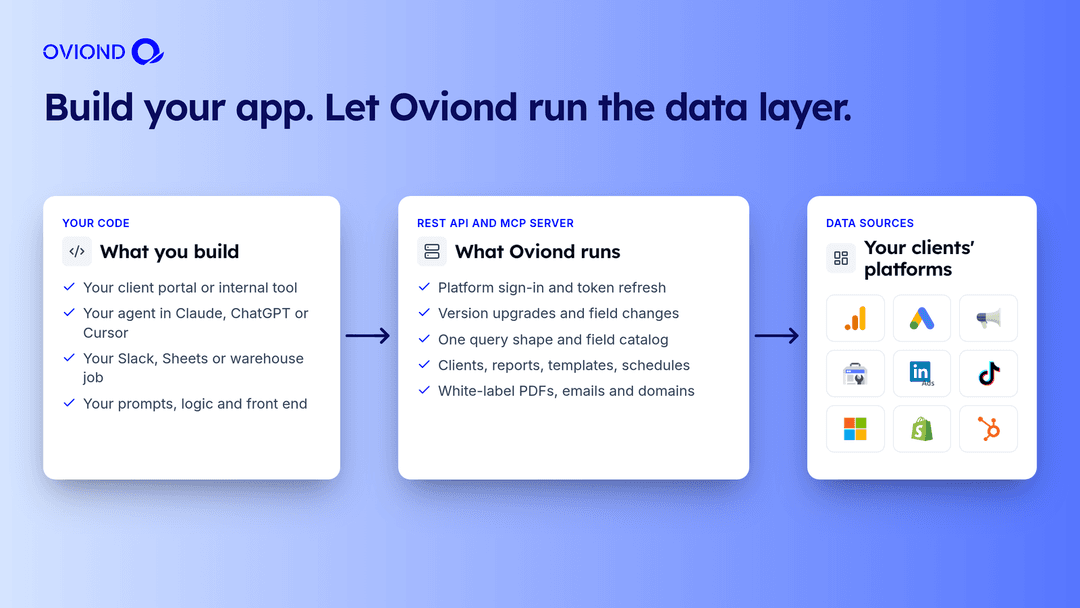
The reason to build is usually the front end or the workflow: a portal that matches your brand, an agent that writes the monthly commentary, a sync into the warehouse your analysts already use. None of that needs you to own the Google Ads connector.
With Oviond underneath:
- Your code calls one endpoint for data.
POST /v1/data/querytakes the same request shape for GA4, Google Ads, Meta Ads and every other connected source.GET /v1/datasources/{id}/describelists the fields that exist today. - Your agent works through one MCP connection. Claude, ChatGPT or Cursor gets 125 tools to read client data and build reports, with every client’s sources already mapped.
- Oviond runs the plumbing. Platform sign-ins, token refresh, daily connection checks, API upgrades, white-label PDFs, scheduled email and custom domains.
You can try the API before signing up. The docs publish a read-only sandbox key for a demo account with Google Ads, GA4 and Meta Ads connected.
When building from scratch is the right call
- You report on one or two platforms, and that won’t change.
- You have engineers who’ll own the connectors for years, with time budgeted for upkeep.
- Reporting is your product, and the connector layer is part of what customers pay for.
- You need data from an internal system no reporting platform covers. Even then, Oviond’s custom data and the API can bring your own rows in next to platform data.
A checklist before you vibe code it
Answer these before the weekend project becomes a client commitment:
- Who gets paged when a client’s Google or Meta token expires?
- Who reads the deprecation notices for every platform API you use, and ships the changes?
- What happens to a scheduled report when a source returns a
429at 9:00 AM on the 1st? - How do you map each client to the right accounts, and who updates that when they add a property?
- Where do the PDFs, emails and shared links come from, and are they on your domain?
- Who on your team can delete a client’s data, and is there a log of who did?
- What does it cost in engineer time each month to keep all of this running?
If the answers are “us”, keep building. If they’re “nobody yet”, build your app on a platform that already answers them.
Try the data layer first
Start a 15-day free trial with every feature included and no credit card required. Connect a client’s sources, then point your code at the API or your assistant at the MCP server and see how much of your build list is already done.
Related: the Oviond REST API guide, the Oviond MCP server guide, Looker Studio alternatives and automated client reporting.
FAQ
Should an agency build or buy its marketing reporting?
Buy the data layer unless reporting is your product. Building the dashboard is quick with AI. The ongoing work is platform access, OAuth token refresh, API version changes, rate limits, client mapping and delivery for every source and client. If you need custom front ends, build them on a reporting API so someone else runs that layer.
Can I vibe code a client reporting dashboard?
Yes. A coding assistant can produce a working dashboard against one platform in an afternoon or a weekend. What it doesn’t produce is the upkeep: refreshing tokens, absorbing API version changes, handling quota errors, and doing all of that for every platform and every client.
Why do OAuth tokens keep breaking in DIY reporting tools?
Each platform has its own token rules. Google issues refresh tokens that expire after seven days to apps whose OAuth consent screen is still in Testing status. Meta’s long-lived user tokens last about 60 days. A DIY stack needs refresh logic, secure storage and alerts for every platform.
What changed with Google Ads API access in 2026?
Google sunset Google Ads developer tokens on September 9, 2026. Production access now depends on the Google Cloud project that owns your OAuth client being approved, according to Google’s Google Ads API documentation.
Is there a middle option between building and buying?
Yes. Build your own app, agent or portal on top of a reporting platform’s API or MCP server. With Oviond, one API key or one MCP connection reaches every client’s connected sources, and Oviond runs sign-ins, token refresh, API upgrades and delivery.
How much does buying cost compared with building?
Oviond starts at $50 a month for 10 clients, or $40 a month billed annually, with API and MCP access included on subscription plans. The cost of building is mostly engineering time, first to build each connector and then every month to keep it working.