
Oviond Blog
The Oviond REST API: one key for every client's marketing data
Query live data from 100+ marketing sources and build white-label client reports from your own code. 186 endpoints, one API key, a public sandbox.
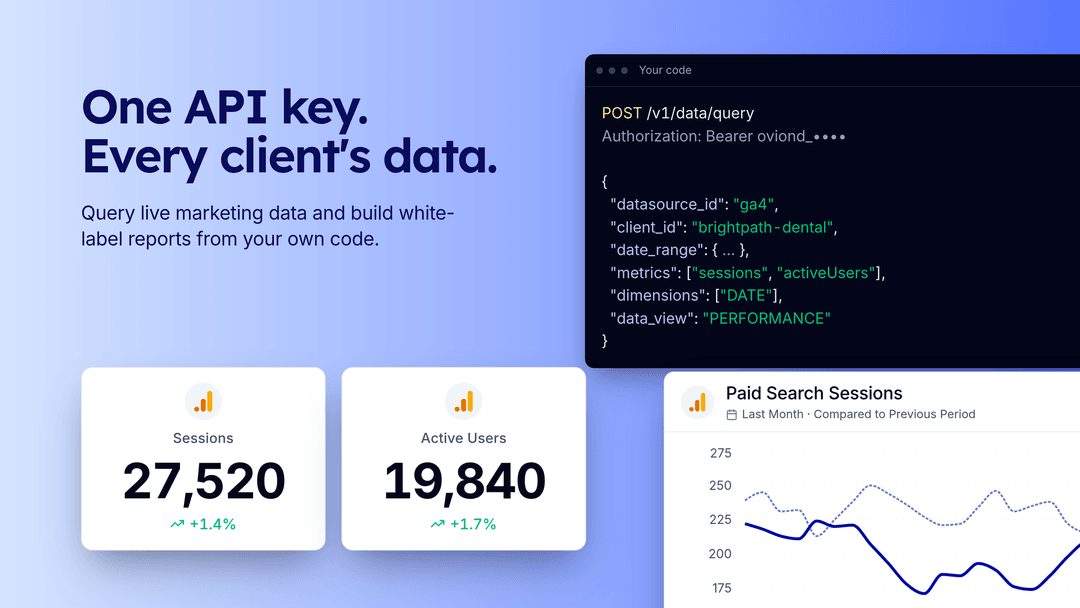
The Oviond REST API gives your code the same account the Oviond app works on: clients, reports, dashboards, widgets, templates, automations and live numbers from the 100+ marketing data sources Oviond supports. It’s a JSON API at https://api.oviond.com with 186 documented endpoints under /v1, and one API key covers every client and every connected source.
We announced the API alongside the MCP server in July. This is the full guide we didn’t publish then, updated for November 2026, with a sandbox call you can run right now.
The Oviond API at a glance
Checked against the Oviond API docs on November 16, 2026.
| Oviond REST API | |
|---|---|
| Base URL | https://api.oviond.com, versioned under /v1 |
| Endpoints | 186 documented in the API reference |
| Auth | Bearer API key, prefixed oviond_, with View, Edit or Full access |
| Data | 100+ marketing data sources (the docs list 104 as of November 2026) |
| Spec | OpenAPI 3.1 at https://api.oviond.com/openapi.json |
| Sandbox | Public read-only key, no signup |
| Rate limit | 300 requests per minute per account |
| Plans | Included on subscription plans. Lifetime plans need the API add-on. |
Run a real call in 30 seconds
The docs publish a shared, read-only sandbox key for a demo account with Google Ads, GA4 and Meta Ads connected. It’s safe to use in public, and write calls return 403. Paste this into a terminal:
export OVIOND_SANDBOX_KEY="oviond_276f473c1ea416ec1d6ab186f628e04748195705c77492d798b7b0c10736610f"

curl -X POST "https://api.oviond.com/v1/data/query" \
  -H "Authorization: Bearer $OVIOND_SANDBOX_KEY" \
  -H "Content-Type: application/json" \
  -d '{
    "datasource_id": "ga4",
    "client_id": "OGlOKfzHdJTpJouhD",
    "date_range": {
      "current_start": "2026-10-01", "current_end": "2026-10-31",
      "previous_start": "2026-09-01", "previous_end": "2026-09-30"
    },
    "metrics": ["sessions", "activeUsers"],
    "dimensions": ["DATE"],
    "data_view": "PERFORMANCE"
  }'
You get daily rows for both periods plus the totals, trimmed here:
{
  "success": true,
  "data": {
    "current": [{ "DATE": "2026-10-01", "sessions": 875, "activeUsers": 458 }],
    "currentSummary": { "sessions": 15013, "activeUsers": 5067 },
    "previous": [{ "DATE": "2026-09-01", "sessions": 859, "activeUsers": 433 }],
    "previousSummary": { "sessions": 18963, "activeUsers": 8509 },
    "state": "ACTIVE"
  },
  "meta": { "datasource": "ga4", "request_id": "…" }
}
Those are live sandbox numbers from November 16, 2026, so yours will differ. Swap ga4 for gadw (Google Ads) or fb-ads (Meta Ads) to query the other connected sources.
One request shape for every source
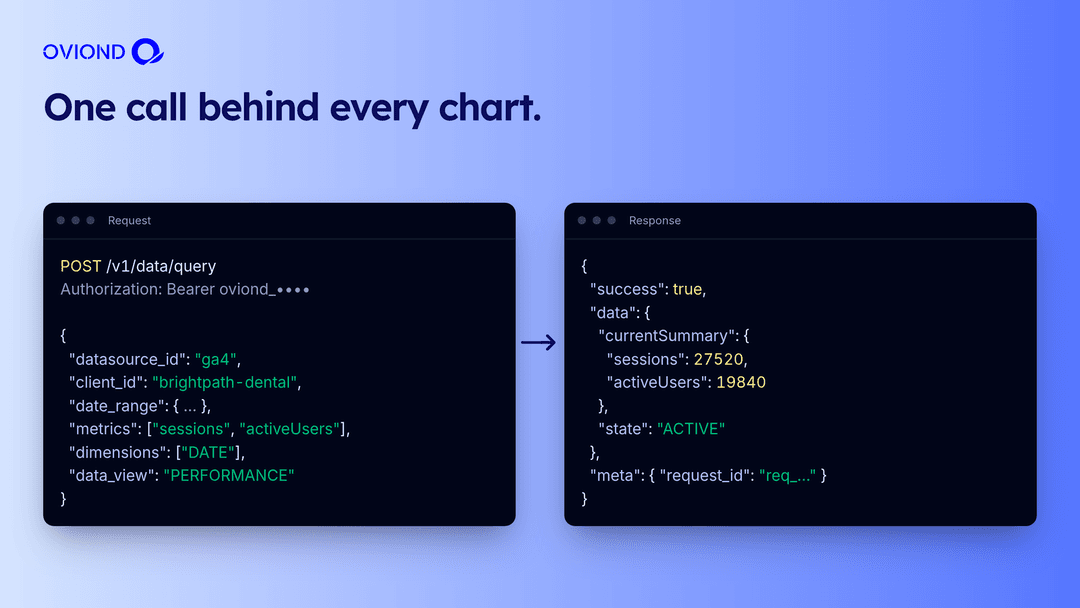
POST /v1/data/query is the call behind every chart in Oviond. You send:
datasource_id: the source, such asga4,gadworfb-adsclient_id: which client’s connected account to readdate_range: the current period, and optionally a previous period to compare againstmetrics,dimensionsanddata_view: what to pull, and how to break it down- optional
filtersandtimezone
You get back current and previous rows, currentSummary and previousSummary totals, and a state for the connection.
To find valid fields, call GET /v1/datasources/{id}/describe. It returns the source’s data views and every metric and dimension in each one, so you never guess at names. Ask for a metric that doesn’t exist and the error tells you which ones do.
What you can build with it
- A client portal. Show each client their own numbers inside your app or site, under your brand.
- A Slack or email digest. Pull last week’s numbers for every client each Monday and post the changes that matter.
- A warehouse or Sheets sync. Land daily rows from every client’s sources in BigQuery, Snowflake or a spreadsheet without maintaining one connector per platform.
- Reports on autopilot. Create the client, create the report from a template, and add an automation that emails it every month when a deal closes in your CRM.
- Your own AI agent. Give an agent the same tools our MCP server uses, through code you control.
From API key to a scheduled client report
The quickstart walks through the whole flow:
- Create a key. An admin goes to Settings → API keys, names the key and picks View, Edit or Full access. The key is shown once.
- Check it.
GET /v1/users/mereturns your profile. - Create a client.
POST /v1/clientswith a name and website. Currency and timezone are optional. - Connect a source in the app. OAuth sources like Google and Meta need a browser sign-in, so this one step happens in Oviond.
GET /v1/clients/{id}/datasourcesconfirms it. - Create a report.
POST /v1/reportswithtypeset toREPORTorDASHBOARD. - Pull data.
POST /v1/data/query. - Schedule it. Create an automation to email the report daily, weekly or monthly.
The 186 endpoints also cover widgets, pages, templates, themes, assets, custom data, calculated metrics, goals, folders, users, custom domains, email senders, PDFs, the archive and the activity log.
Keys, roles and security
- Keys inherit your access. A key carries the role and client access of the admin who made it, capped at the level picked: View, Edit or Full.
- Shown once. Keys start with
oviond_and are shown once at creation. Treat them like passwords and keep them out of front-end code. - Revocable. Revoke a key in Settings and it stops working. Settings → Security also has a switch for API access as a whole.
- Tenant isolation. Every call is scoped to your account. An ID from another account returns
404. - Traceable. Every response carries an
X-Request-Id. Include it when you contact support.
Rate limits, retries and versioning
- Limits. 300 requests per minute per account by default, counted separately from MCP traffic. Read
X-RateLimit-Limit,X-RateLimit-RemainingandX-RateLimit-Resetinstead of hard-coding the number. - 429s. A
429comes withRetry-After. Wait that long, then retry. - Writes. There are no idempotency keys, so if a
POST,PUTorDELETEtimes out, check whether it landed before you send it again. - Versions. Additive changes ship in
/v1. Breaking changes go to a new prefix such as/v2, and/v1keeps working during the migration window. See versioning.
Oviond API vs building on each platform vs Supermetrics
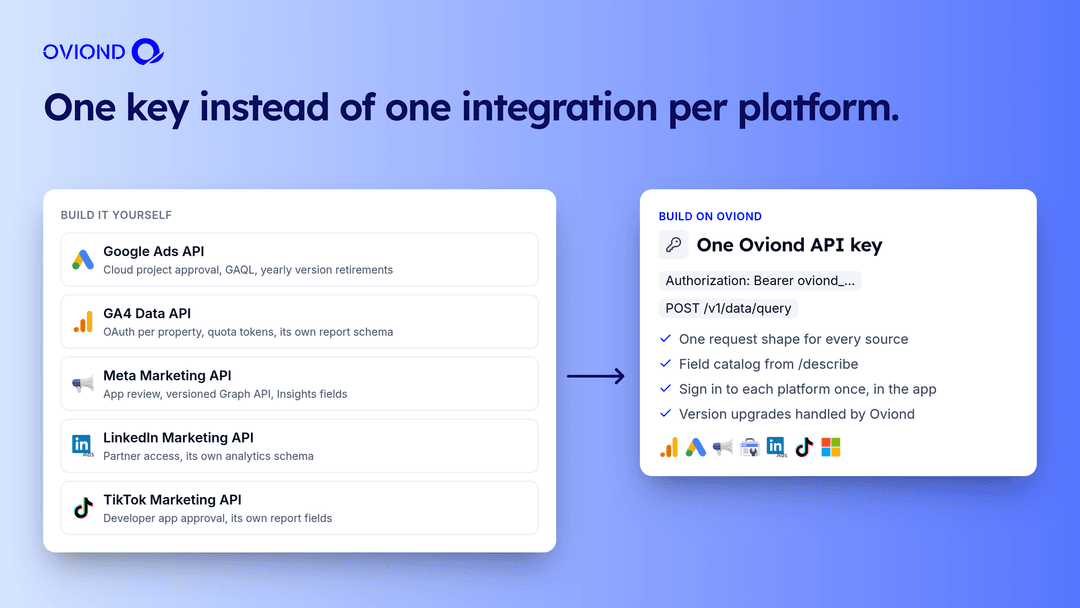
“Marketing API” usually means one platform’s API. Agencies need many of them, plus the client layer on top.
| Each platform’s own API | Supermetrics API | Oviond REST API | |
|---|---|---|---|
| Platforms per integration | One | Many, as data feeds | 100+ data sources through one key |
| Access | Separate approval per platform (Google Cloud project approval, Meta app review, LinkedIn partner access) | Listed under the Enterprise package, priced on quote | Included on Oviond subscription plans |
| Clients and reports | Not included | Moves data into tools like Looker Studio, Sheets and warehouses, where you build the reporting | Clients, reports, dashboards, templates, themes and automations are part of the API |
| White-label delivery | Build it yourself | Build it yourself | Branded reports, custom domains and scheduled email |
| Platform API changes | Yours to track | Handled by Supermetrics | Handled by Oviond |
Supermetrics pricing checked on supermetrics.com/pricing on November 16, 2026. For the full side-by-side, see Oviond vs Supermetrics or Supermetrics alternatives.
Tools for developers
- OpenAPI 3.1 spec at
https://api.oviond.com/openapi.json, with stable operation IDs. - Postman, Bruno and Insomnia. Import the spec and you get a request for every operation.
- Typed clients. There’s no official SDK yet. Generate types in one line:
npx openapi-typescript https://api.oviond.com/openapi.json -o oviond.d.ts- An AI agent instead. If you’d rather ask than code, the Oviond MCP server exposes the same account to Claude, ChatGPT and Cursor.
Pricing
API access is included on Oviond subscription plans, priced at $5 per client per month with a 10-client minimum, so $50 a month to start ($40 billed annually). Lifetime plans need the API add-on. See pricing.
Weighing whether to build the whole stack yourself? Read build vs buy for marketing reporting first.
Build on your clients’ data
Start a 15-day free trial with every feature included and no credit card required. Connect one client, create a key in Settings → API keys and run your first query.
The full reference lives in the API docs. There’s more on the Reporting API and MCP server feature page.
FAQ
What is the Oviond REST API?
A JSON API at https://api.oviond.com that gives your code access to your Oviond account: clients, reports, dashboards, widgets, templates, themes, automations and live data from your clients’ connected marketing sources. The API reference documents 186 endpoints under /v1.
Can I try it without signing up?
Yes. The docs publish a shared read-only sandbox key for a demo account with Google Ads, GA4 and Meta Ads connected. You can list clients and query live data. Write calls return 403.
Which data sources can I query?
Any of the 100+ data sources Oviond supports, as long as the client has that source connected. POST /v1/data/query takes the same request shape for every source, and GET /v1/datasources/{id}/describe lists the valid data views, metrics and dimensions.
Can I connect a client’s Google Ads or Meta account through the API?
Sources that use OAuth need an interactive sign-in, so you connect them once in the Oviond app. After that, everything else, from creating reports to querying data, works over the API.
What are the rate limits?
300 requests per minute per account by default, counted separately for the REST API and the MCP server. Every response carries X-RateLimit headers, and a 429 includes a Retry-After header. The Oviond web app is never rate-limited.
Is there an SDK?
Not yet. The OpenAPI 3.1 spec at https://api.oviond.com/openapi.json has stable operation IDs, so you can generate a typed client with openapi-typescript or openapi-generator, or import it into Postman, Bruno or Insomnia.
Is API access included in my plan?
API access is included on Oviond subscription plans, which start at $50 a month for 10 clients. Lifetime plans need the API add-on.